


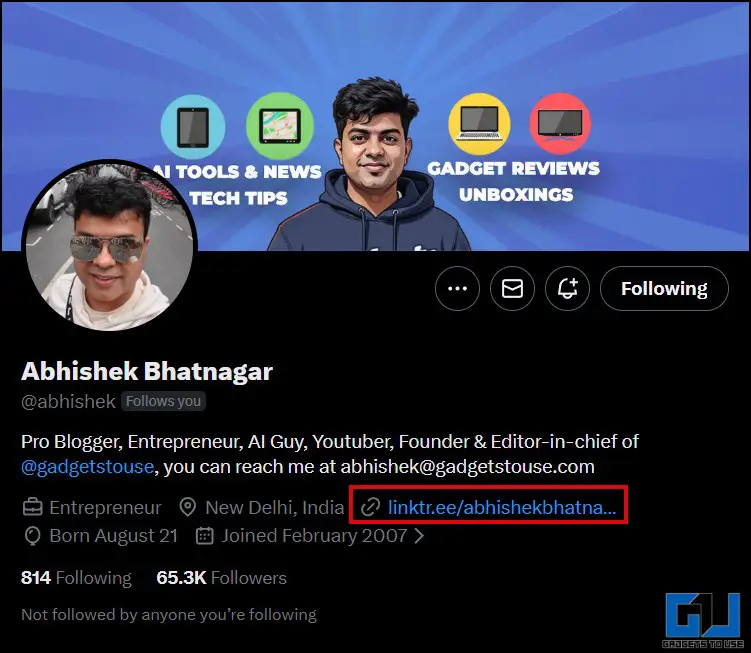
- Without giving the URL in the post, you can simply mention that the link is in the bio.
- X or Twitter users are facing an issue of reduced reach and visibility on their posts when they attach a link to it.
- This will allow you to provide the link you want users to be redirected to without including it in your post.
X or Twitter users are facing an issue of reduced reach and visibility on their posts when they attach a link to it. This issue is mainly affecting the likes of bloggers, journalists, brands, marketers, and creators, too. X has made changes in its policies in recent times. Which means that the algorithm prioritizes posts without an external link, to keep the user on the platform instead of pushing them outside. In this article, we will explore ways and fixes through which you can share links without affecting the reach of the post.
Why Posts with Links Have Affected Reach
X doesn’t want users to leave their platform in light of that they have taken measures to change the algorithm. It prioritizes users engaging on the platform through replies, reposts, and spending time there. Canadian social media management platform Hootsuite conducted a 15-week study to assess whether posts with links have an impact on reach. Across 269 posts, they found out that linkless posts with limited words and characters were the top-performing ones. Which meant that less is more when you are trying to engage with your followers. Let’s look at how you can include links without it affecting the reach your post gets.
Posting an Image-Only Tweet, Adding Link in the Replies
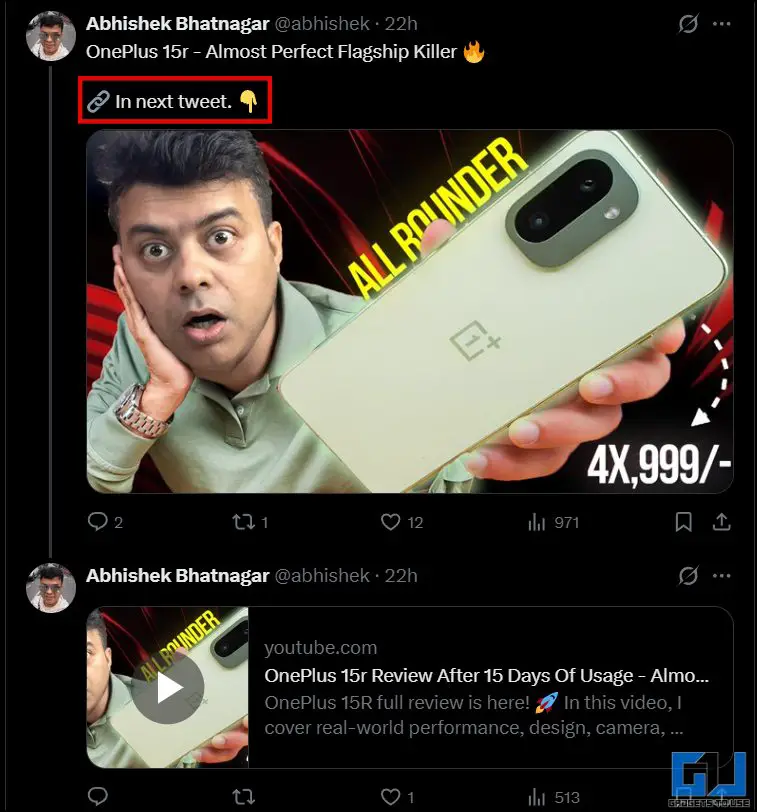
The first method that you can try is posting a tweet with some text and an image. Make sure the text is minimal and conveys the desired message. The image should be relevant and related. Once you have posted it, you can post the link in the reply to that tweet. This would help in the original post not getting flagged as a ‘Link Tweet’. Users who will be interested can access the link through the replies. This will allow you to provide the link you want users to be redirected to without including it in your post.
Mention the Link in Your Bio
Profiles with steady visitors and engagement rates can utilize this method. Without giving the URL in the post, you can simply mention that the link is in the bio. Youtubers, bloggers, and brands can use this method while posting about their content or products. While this method is useful, make sure that the links are updated according to the recent posts. And for someone who wants to access earlier links, you can take the help of tools like Linktree or Notion. These will help you provide multiple links on a single webpage.
Avoid Trigger Words
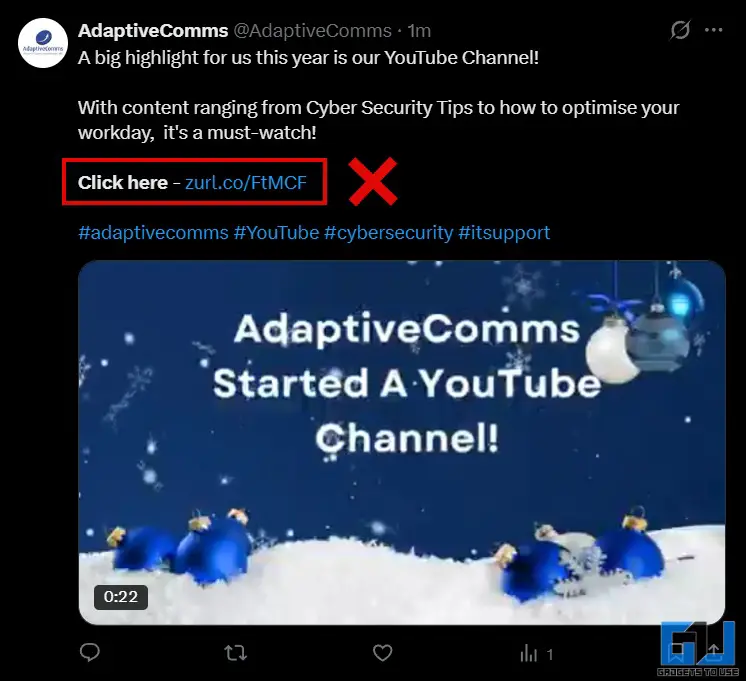
Nowadays, X and other social media platforms have become a great way to reach out to potential consumers of your product or service. This has also meant that there is a lot of clutter of promotional posts. Users don’t really engage with them. Due to this, services or products that might offer some value to them also get ignored. You must have noticed yourself skipping posts that try to redirect you through phrases or words like: Click here, Tap the Link. The marketer should focus on the description being value-driven, conveying the value that the consumer might get. The language should sound natural, as it tends to perform better rather than direct CTAs.
Do Tools Like Bitly Help?
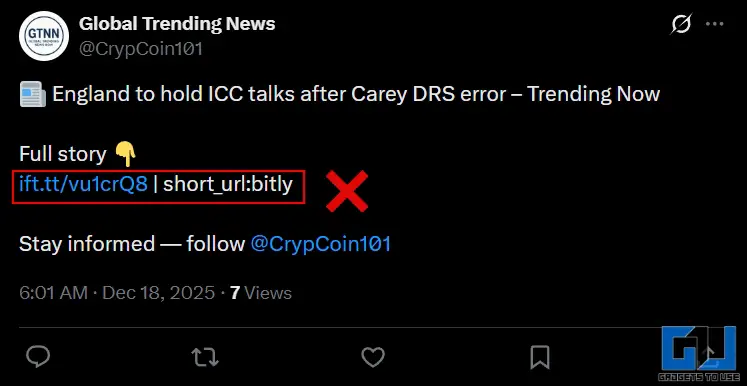
A lot of people use URL shortening tools like Bitly. A shortened link is still a link, and the algorithm can detect them. So, URL shorteners cannot help with the low visibility problem of the posts. Furthermore, they could also build distrust in the minds of users about the genuineness of the links. Although X has strict policies regarding malicious links, people most likely would not engage with these posts due to the risk of phishing.
FAQs
Q. Should users avoid posting links on X?
Links are unavoidable and important in driving traffic. What matters is that they should be shared at a controlled frequency and strategically.
Q. Why do people not engage with promotional content?
People avoid engaging with promotional posts as they don’t like the feeling of something being sold to them.
Wrapping Up
X wants users to spend as time as possible on their platform, which they ensure through the algorithm. This does not mean that you cannot include outbound links in your posts. Apart from the workarounds mentioned above, you should make sure that not all posts are of you, trying to redirect the users. The language should not sound promotional, rather it should be natural and conversational. You should have a mix of posts with some focusing solely on engaging with your followers and building a sense of community. Furthermore, you should keep in mind that one method doesn’t need to fix the issue. You can try a mix of them and observe what works for you in getting the desired reach.
You may also like to read:
Have any questions related to our how-to guides, or anything in the world of technology? Check out our new GadgetsToUse AI Chatbot for free, powered by ChatGPT.
You can also follow us for instant tech news at Google News or for tips and tricks, smartphones & gadgets reviews, join the GadgetsToUse Telegram Group, or subscribe to the GadgetsToUse Youtube Channel for the latest review videos.
Was this article helpful?
YesNo
