


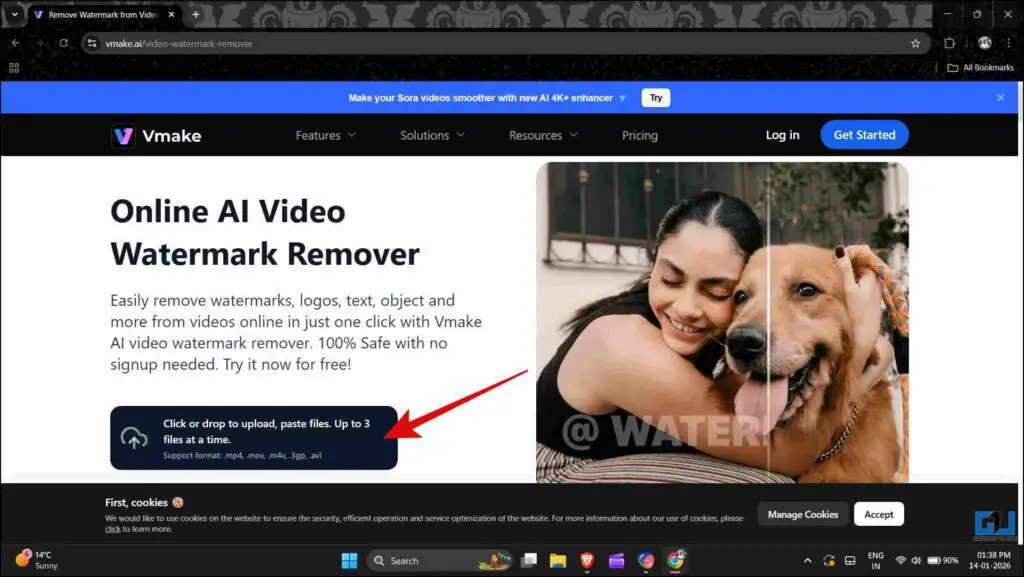
- Open the vmake websiyte and click on the option to upload the video with a watermark.
- If you consider using a tool like this once in a while, then it is a great option.
- One issue with using tools such as AI video generators or video editing software is that they might leave a watermark on the final output.
Content creation has evolved greatly and thus become accessible. This has been made possible by the advent of many tools that help with tasks that would otherwise take a lot of time. One issue with using tools such as AI video generators or video editing software is that they might leave a watermark on the final output. Although it’s good to support these tools, you sometimes know you will only use them once. So paying for a subscription might not make sense. That is why I tested some AI tools that will help us in removing those watermarks from the video.
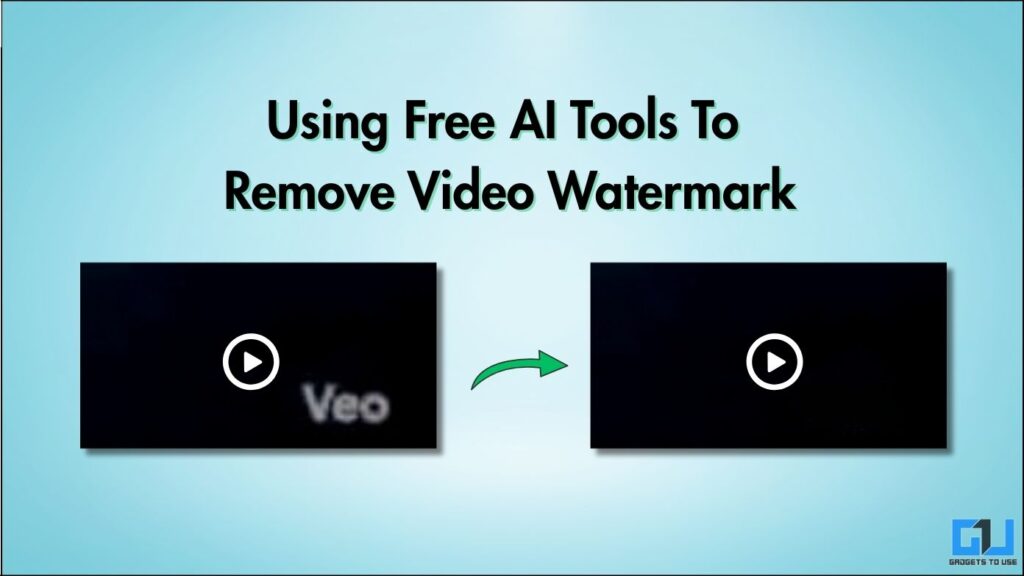
Removing Watermark In Videos
Removing a watermark in a video is much more complicated than, let’s say, an image. Cropping the image or erasing the watermark works just fine. But when it comes to videos, they can degrade video quality. Watermarks are placed over moving objects. Even blurring the watermark is not recommended, as it would compromise the video’s overall look. You can check out some tools that help remove watermarks in general. The main thing is that, unlike an image, a video frame keeps changing. Tools are unable to regenerate pixels in place of the watermark, frame by frame. Let’s see how some AI tools work to remove watermarks from videos.
1. Vmake
Vmake is an all-in-one AI-powered video editing tool which offers various features like generating videos from images, transcription, and more. It can also remove watermarks from existing videos. You can access it at vmake.ai.
1. Open the vmake websiyte and click on the option to upload the video with a watermark.
2. Once the video is uploaded, it will be processed, and you will see the result. Irrespective of the video’s length, you can download a 5-second preview of the watermark-free video for free. If you want to download the full-length video, you’ll need a paid subscription.
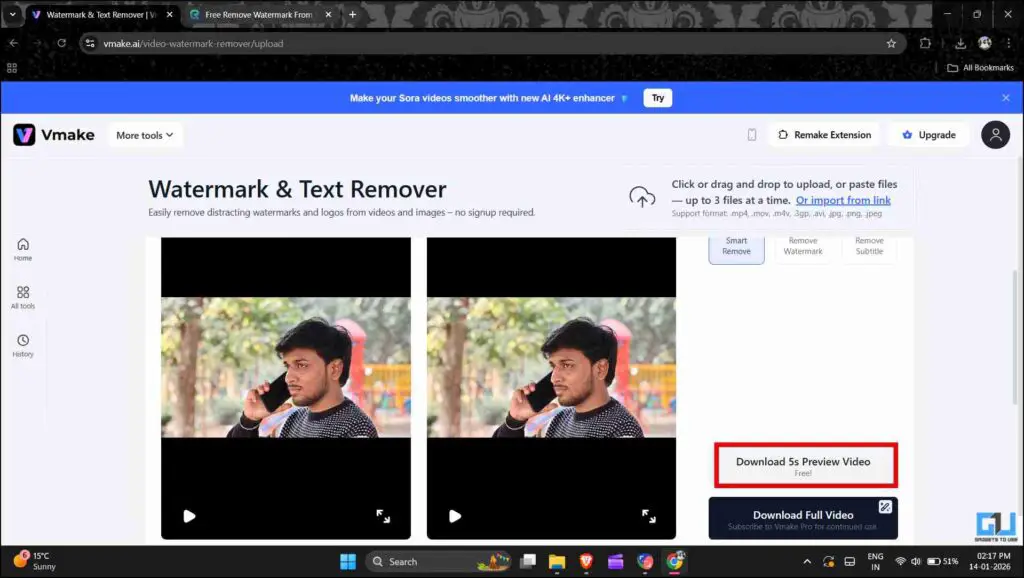
While this website does work as it claims, it is of limited use. You can remove the watermark from small clips that can be used as B-Rolls in a video, but not long videos. Furthermore, it can also remove subtitles from any video. But overall, it does not serve the purpose we intended. Let’s see what the next tool has to offer.
2. EzRemove.AI
EzRemove is a popular tool known for its background removal features, even in the free version. It also has the ability to get rid of watermarks from videos. It can be accessed on any laptop from the official website ezremove.ai.
1. Visit the EzRemove website and upload the video you would like to remove the watermark from.
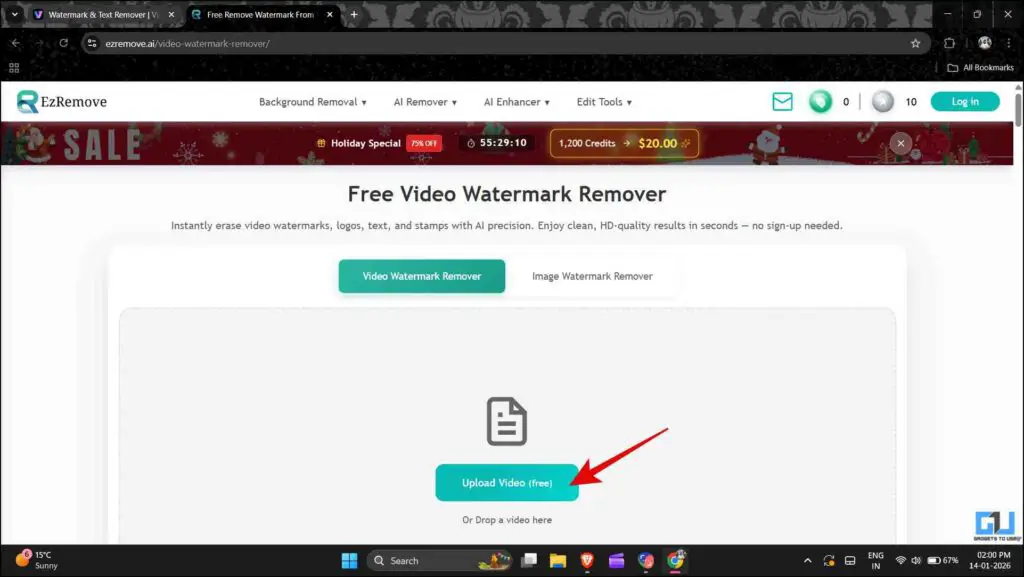
2. After the video is uploaded, select the watermark area and click the “Remove Watermark (free)” option.
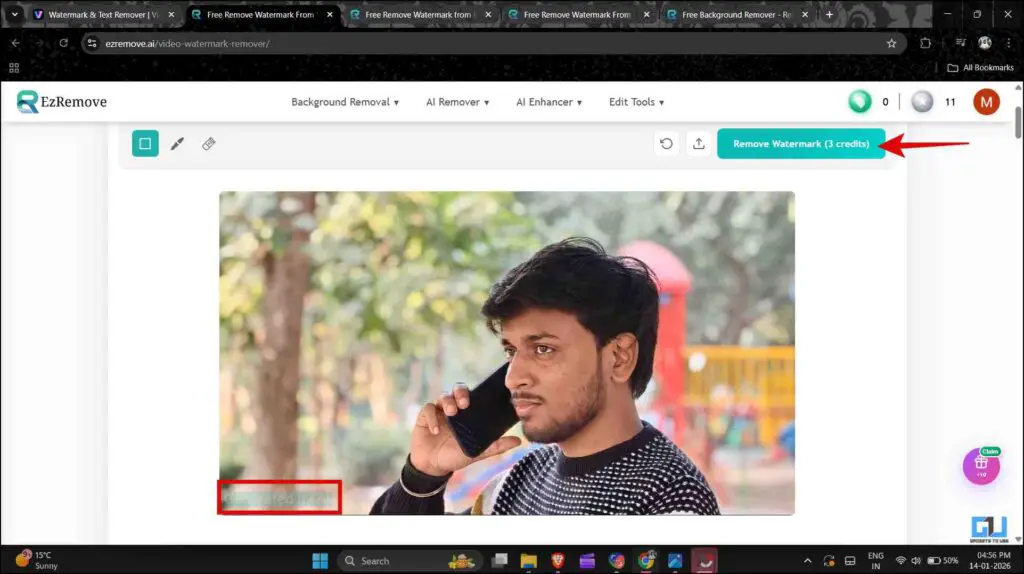
3. Some processing will take place, and you will be able to see the result after some time. After the video is ready, you can download it.
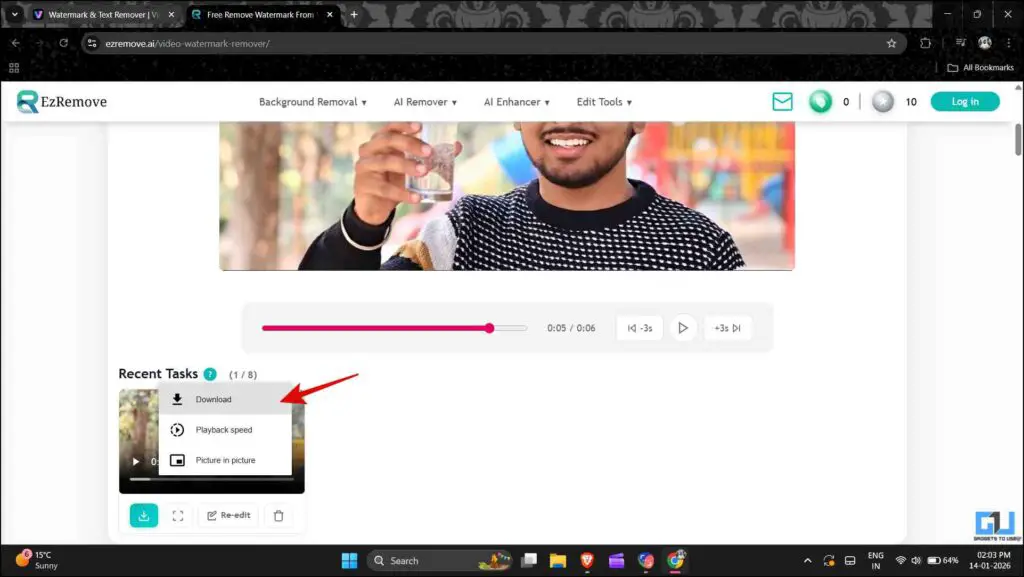
EzRemove lets you download longer videos, making it useful for short-form content. But this too has limited use, as you get 10 credits initially, and you can claim 10 more by logging in to the website. 1 credit converts to 2 seconds of video. There are more daily check-in rewards on the website that provide more credits, so you can explore them. If you consider using a tool like this once in a while, then it is a great option. For regular use, you would have to either buy credits or log in with different email IDs so you can use it for free.
FAQs
Q. Will the audio in the video be affected by watermark removal?
No, the audio is unchanged, and the quality remains the same. Watermark removal only works on video frames.
Q. Can these tools remove watermarks from long videos?
Most of these free tools cannot remove watermarks from long videos. Along with duration limits, these tools also have limits on the size of the file that you can upload.
Wrapping Up
These tools should be used while keeping certain things in mind. It is fine to remove a watermark from content that you have created yourself, such as through an AI Video generator or Video editing platform. However, removing a watermark from stock footage, movies, or other videos that you don’t own can be a violation of copyright. This can land you in legal trouble if you use this content for commercial purposes. So, it’s better to use these tools ethically.
You may also like to read:
Have any questions related to our how-to guides, or anything in the world of technology? Check out our new GadgetsToUse AI Chatbot for free, powered by ChatGPT.
You can also follow us for instant tech news at Google News or for tips and tricks, smartphones & gadgets reviews, join the GadgetsToUse Telegram Group, or subscribe to the GadgetsToUse Youtube Channel for the latest review videos.
Was this article helpful?
YesNo
