



When macOS Tahoe and iPadOS 26 launched last fall, they removed support for an optional Safari layout: the compact tab bar. Now, the feature is back in macOS 26.4 and iPadOS 26.4 beta 1.
Safari’s compact tab bar returns to Mac and iPad
Have you been missing the compact tab bar on your Mac or iPad?
It’s not often that Apple entirely removes a Safari feature that’s long been available, but that’s exactly what happened in macOS Tahoe and iPadOS 26.
Perhaps due to the Liquid Glass redesign and need to prioritize other features, the compact tab bar didn’t make it into the first versions of macOS and iPadOS 26.
But fortunately, it seems the outcry from upset users reached Apple’s ears.
Today’s beta 1 releases of macOS 26.4 and iPadOS 26.4 restore the compact tab bar option.
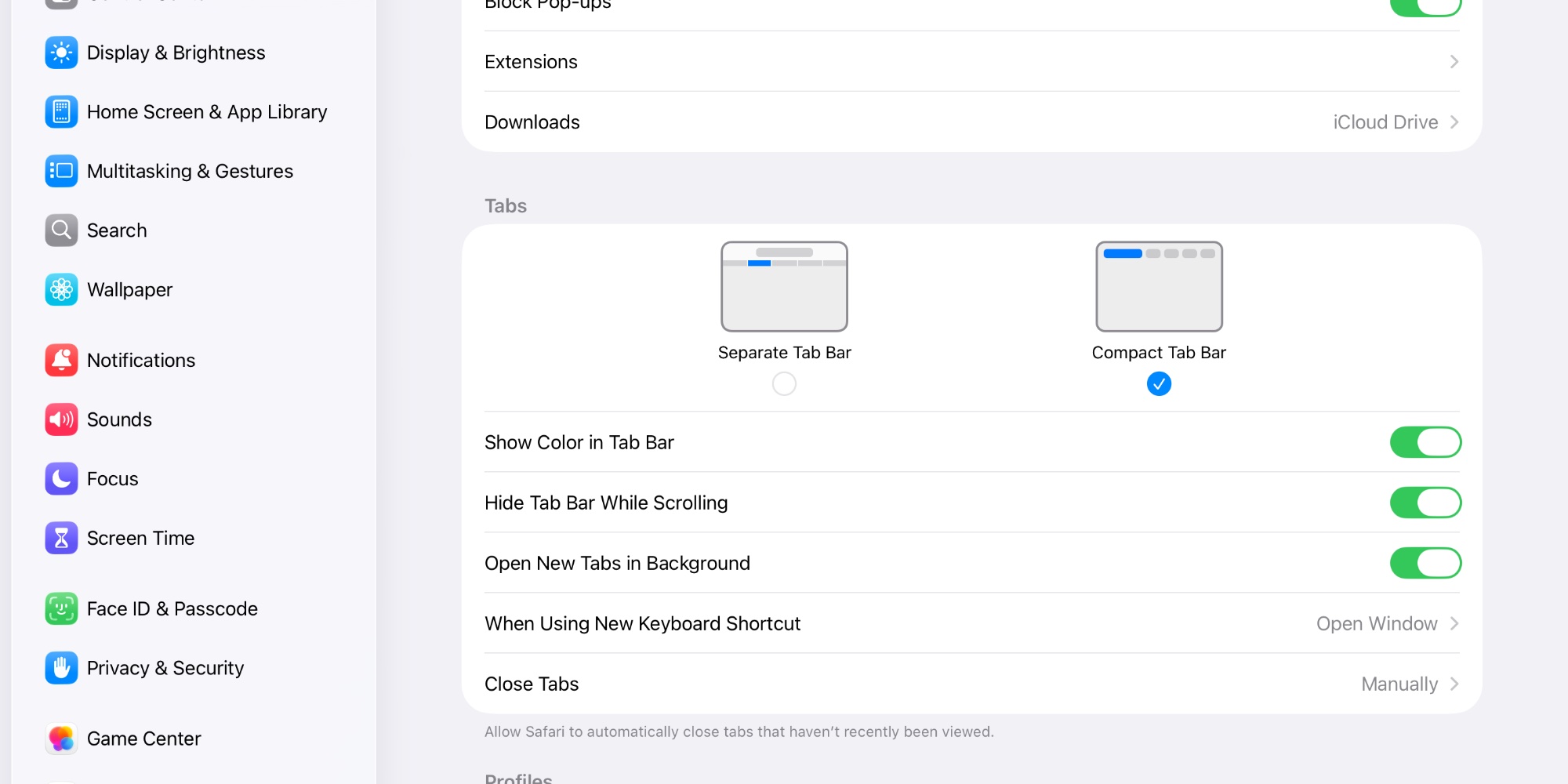
Available inside the System Settings app on Mac, and Settings on iPad, you can now choose to condense the Safari tab bar into a single row encompassing address bar, current tabs, and more.
Personally, I’m sticking with the ‘Separate Tab Bar’ option on my iPad. But I’m glad to see the option return for Mac and iPad users who prefer the compact look.
Did you miss the compact tab bar in Safari? Let us know in the comments.
Best Mac and iPad accessories


FTC: We use income earning auto affiliate links. More.

