


- Go to a new chat on Gemini and upload the image you want to upscale.
- It all depends on the feel you want in your images and how you tailor your prompt to match it.
- AI image generation has allowed anyone to upscale their images with a few clicks and a prompt.
Old images often give you a sense of nostalgia. Their details might fade, but the memories remain. It would be great if you could restore the images and enhance the details. Earlier, it was not easy to upscale old images without photo editing skills or expensive online tools. However, among many applications of AI image generation, this is definitely something everyone might use. Using platforms like ChatGPT or Gemini, you too can upscale your old images with a few simple steps.
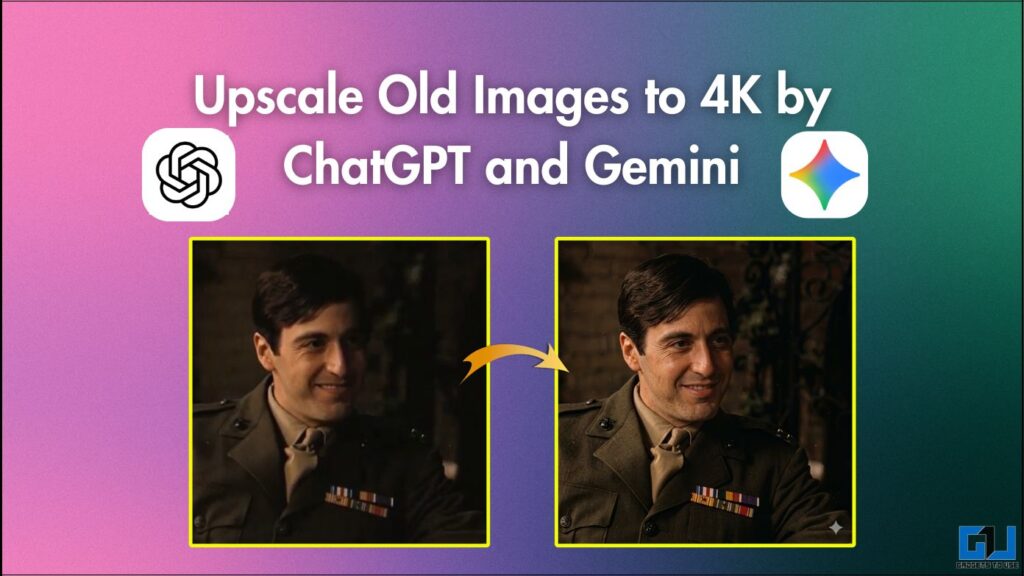
What is AI upscaling, and how to do it with ChatGPT and Gemini?
A typical 4K image has a resolution of around 3840 x 2160 pixels. Since these tools generate images, they can also generate pixels within them. Although no new image is generated, the pixel count increases, along with improved lighting and enhanced texture details. In simple words, these tools generate and recreate missing details. Let’s try upscaling an image on both tools.
Using ChatGPT
1. Open a new chat on ChatGPT and upload the image you want to upscale.
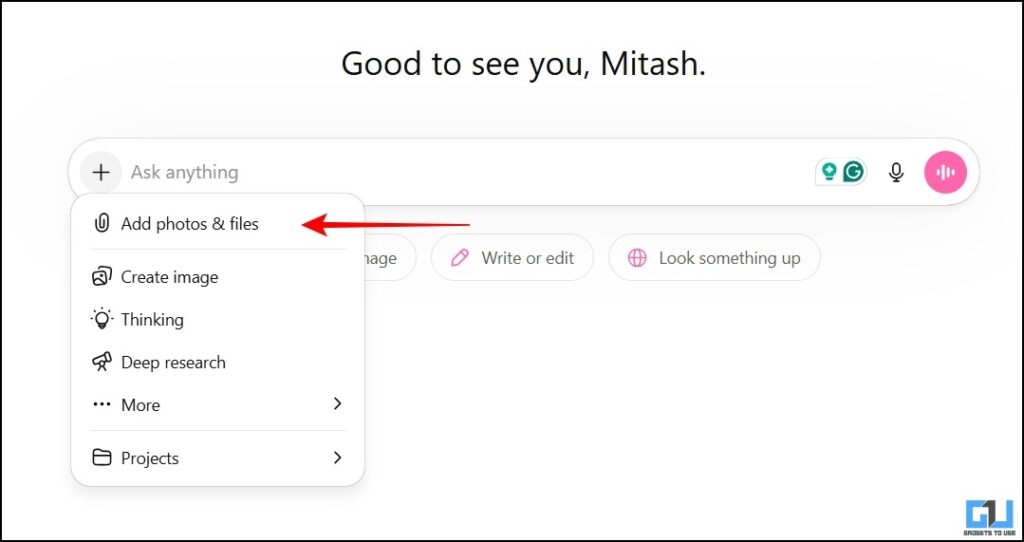
2. Simply copy the prompt below and paste it into the chat. Hit Enter.
- Prompt: Upscale the uploaded photo to 4K resolution in the same aspect ratio while preserving the original subject, features, and composition. Enhance textures to look ultra-realistic, improve cinematic lighting, and ensure sharp focus throughout.
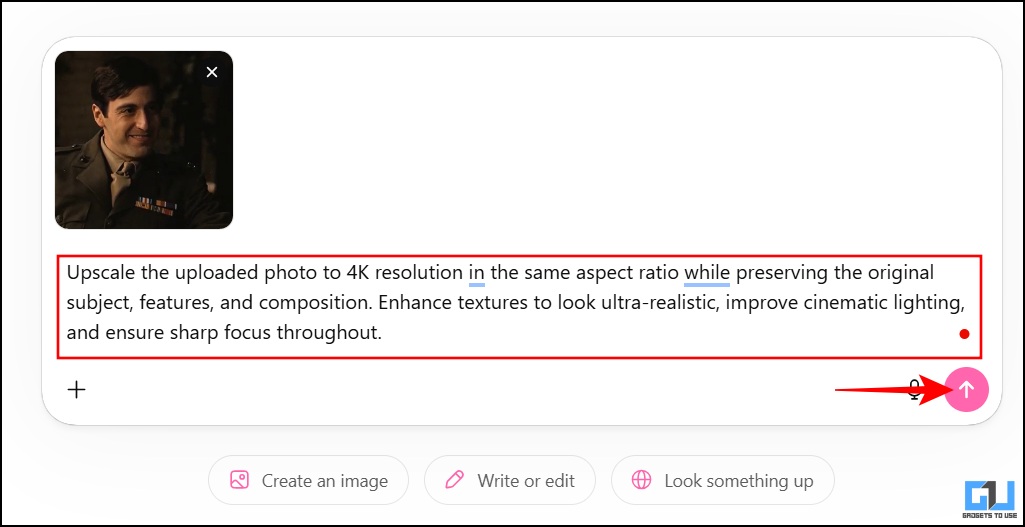
3. Wait till the image is processed and the new image is generated. Download the upscaled image after the processing is complete.

Using Gemini
1. Go to a new chat on Gemini and upload the image you want to upscale.
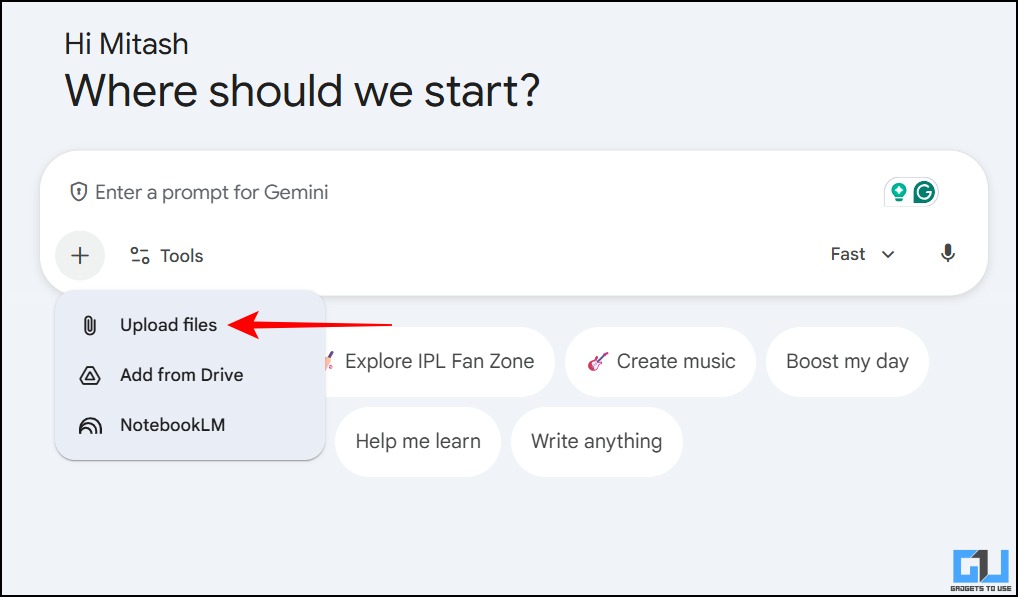
2. Use the same prompt as above and paste it. Hit Enter.
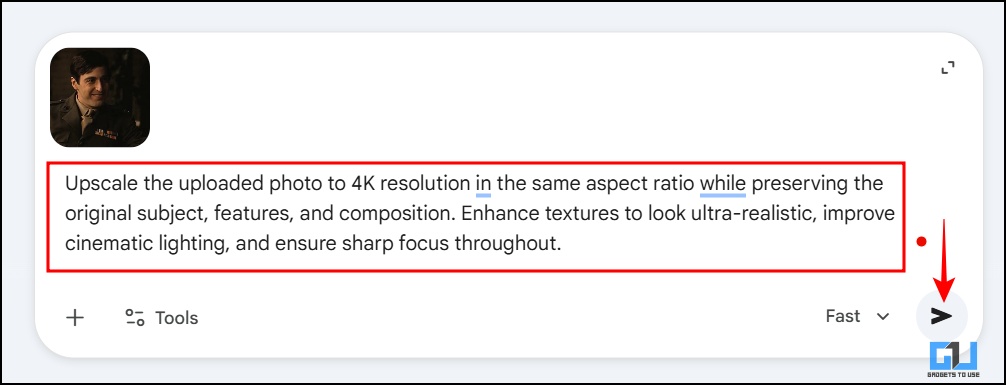
3. Wait till the image is processed and the new image is generated. Download the upscaled image, once the processing is complete.

ChatGPT vs Gemini: Which result is better?

If we compare the 2 results side by side, there is one noticeable difference. The ChatGPT result looks subtle and feels like a realistic upgrade, as the details are maintained well. The Gemini result has visible over-sharpening and slight distortion. This can also be due to the prompts. Since both operate on different algorithms. Moreover, you can experiment further by trying one more different prompt given below in both tools.
Prompt: Enhance this portrait while keeping the person’s identity, face shape, and expression exactly as in the original. Only subtle cleanup is allowed. Keep the background unchanged. Recreate the image as if shot with a Sony A1 camera using an 85mm f1.4 lens, 4K, 10-bit colour, cinematic style.
FAQs
Q. Is it free to upscale images to 4K?
Yes, it is free to upscale images on ChatGPT and Gemini. Although pro subscriptions can help with faster processing and multiple renders.
Q. Will my images look fake after upscaling them?
It all depends on the feel you want in your images and how you tailor your prompt to match it. As mentioned above, different tools have different algorithms so you may get different results from the same prompts.
Wrapping Up
Upscaling images no longer requires photo editing skills or expensive tools. AI image generation has allowed anyone to upscale their images with a few clicks and a prompt. With tools like ChatGPT and Gemini, you can transform old, blurry, or low-quality images into ones that look like they were captured with an expensive camera. What matters is the prompt. Once you get it right, you will achieve the desired result.
You may also like to read:
Have any questions related to our how-to guides, or anything in the world of technology? Check out our new GadgetsToUse AI Chatbot for free, powered by ChatGPT.
You can also follow us for instant tech news at Google News or for tips and tricks, smartphones & gadgets reviews, join the GadgetsToUse Telegram Group, or subscribe to the GadgetsToUse Youtube Channel for the latest review videos.
⬇️ GadgetsToUse Site Search ⬇️
You can find anything on our website, inlcuding tech how to, solution or reviews using google site search box below.
Was this article helpful?
YesNo
