


- Generally, when you try to download a large file or folder, you might see a notification that says ‘Preparing download’.
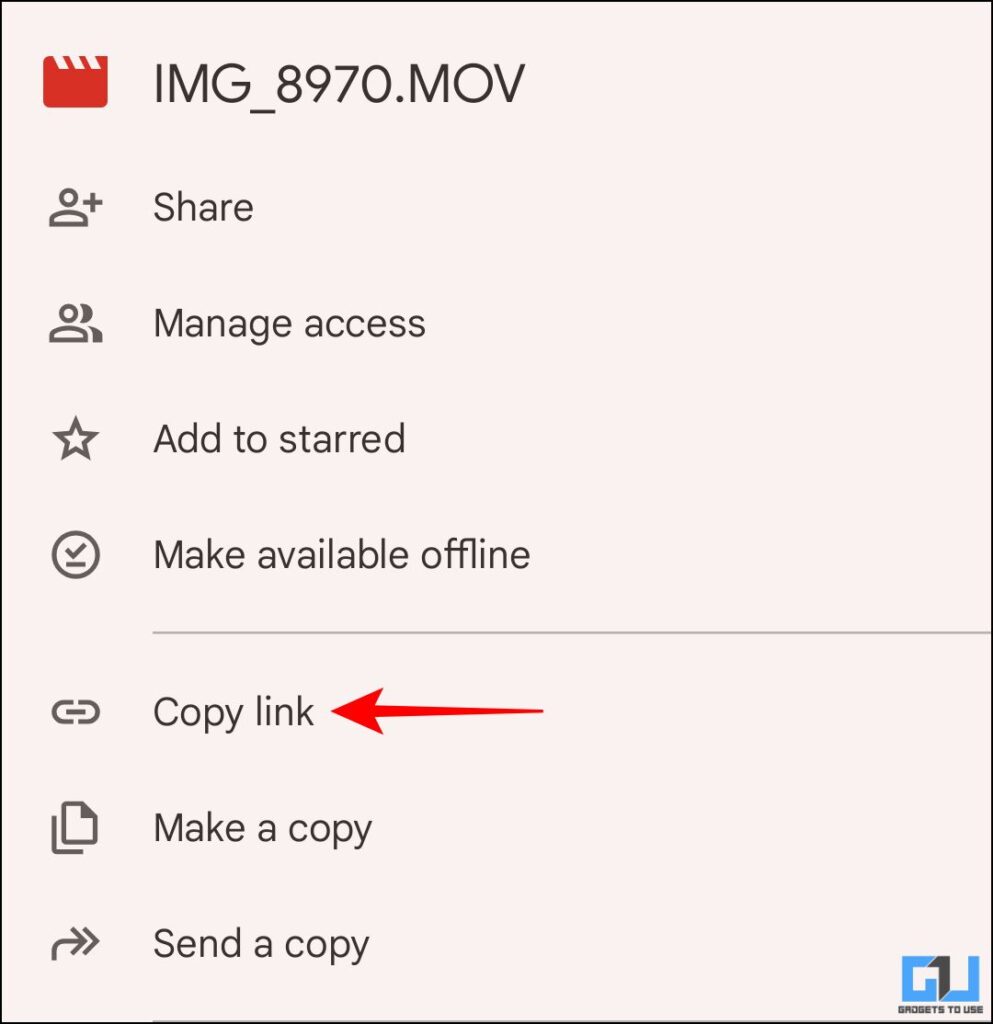
- Now, open the file again and copy the drive link for the file or folder.
- Since the tool is widely used to share and collaborate on large files, being unable to download them can be frustrating for users.
Google Drive is one of the most reliable cloud storage platforms. Additionally, it’s widely used to share and access files across devices and is great for collaborative tasks. Although sharing large files has been made easier with this tool, you might still have issues downloading them on an Android device. It might get stuck for minutes with no progress or just fail repeatedly. Let’s understand what the issue might be and explore some workarounds.
Fix Files Stuck on ‘Preparing Download’ on Google Drive
Generally, when you try to download a large file or folder, you might see a notification that says ‘Preparing download’. Moreover, it gets stuck like this for minutes without any progress or any sign that the file is being downloaded.
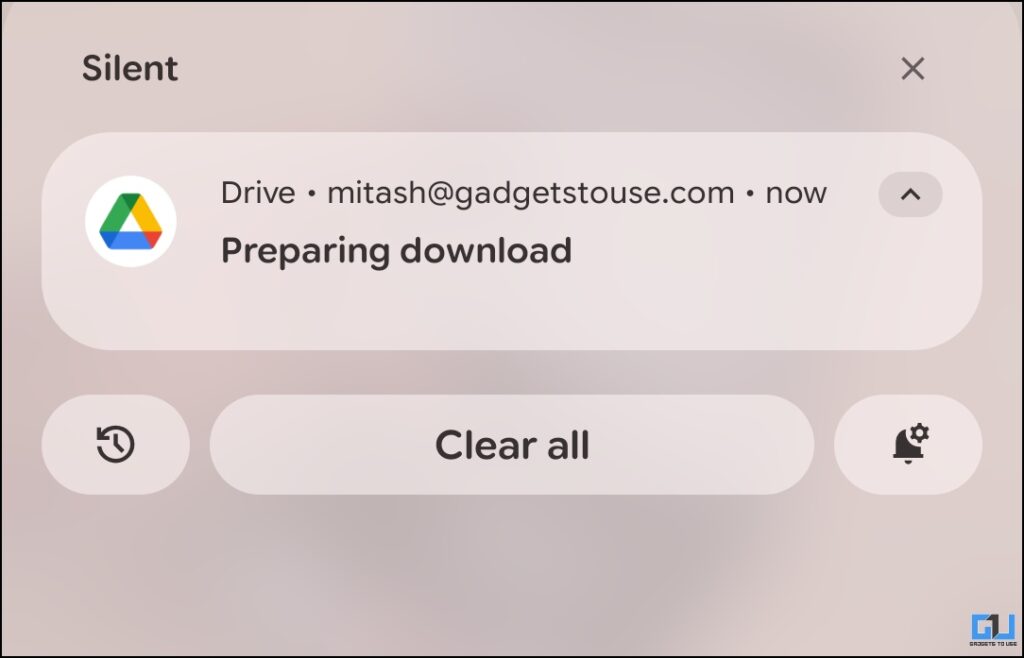
Files might also get stuck and not download due to one or more reasons mentioned below:
- Insufficient storage space: The device usually allocates 2-3 times the space required by the file before it is downloaded. So the download may fail if there isn’t enough storage on your device.
- Unstable internet connection: A poor or unstable connection would cause the download to fail or get stuck.
How to Download if stuck on ‘Preparing download’?
To fix the ‘Preparing Download’ Issue, take the following steps:
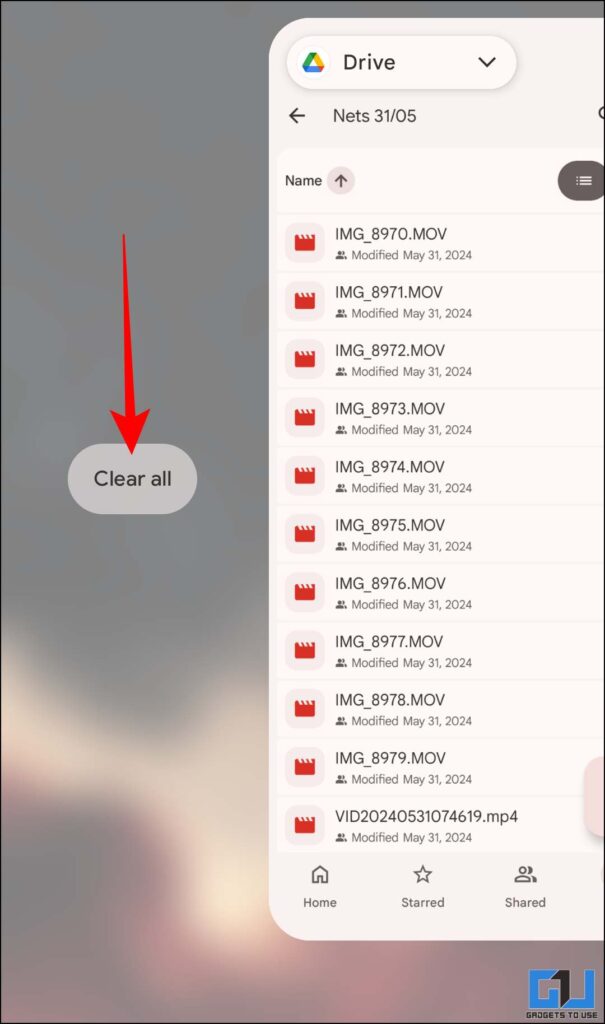
1. Firstly, swipe the notification away from the notification panel. Remove the Google Drive App from the recent apps.
2. Now, open the file again and copy the drive link for the file or folder.
3. Open Google Chrome, or preferably another Chromium-based browser. Now, paste the link or URL in the search bar. This would open the browser or desktop site. Tap on the download icon.
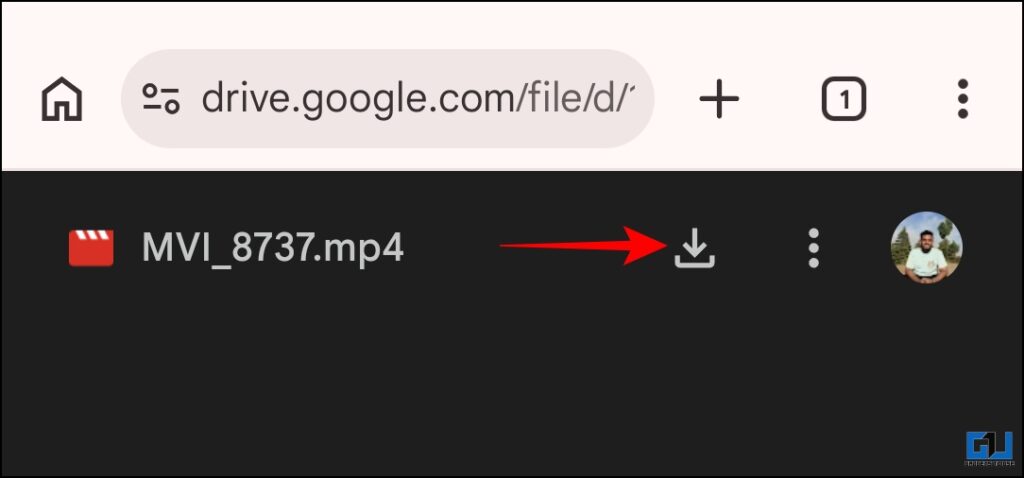
4. Now, tap on ‘Download Anyway’ to start downloading the file.
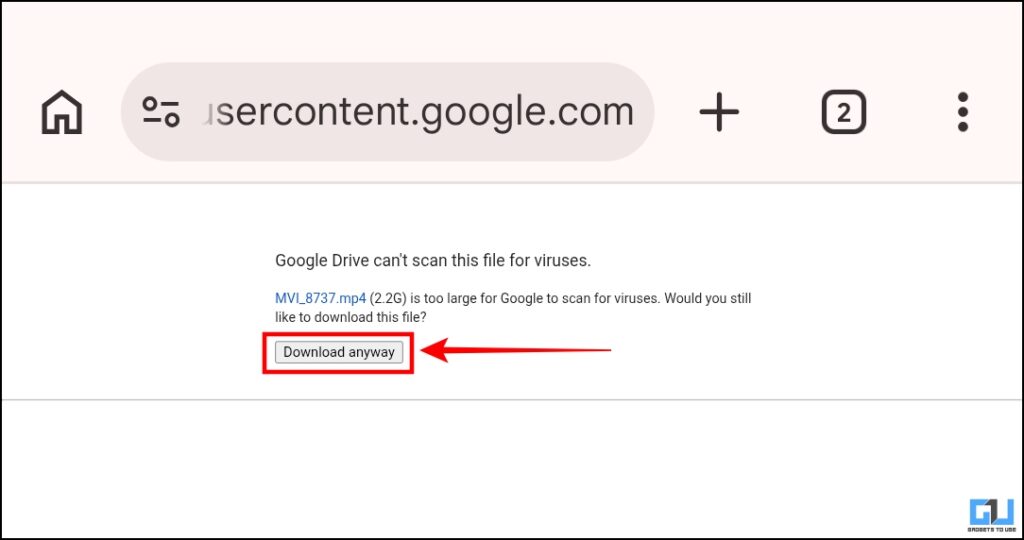
It would be downloaded through the browser. Finally, you would be able to access it on your device, given you had enough storage space.
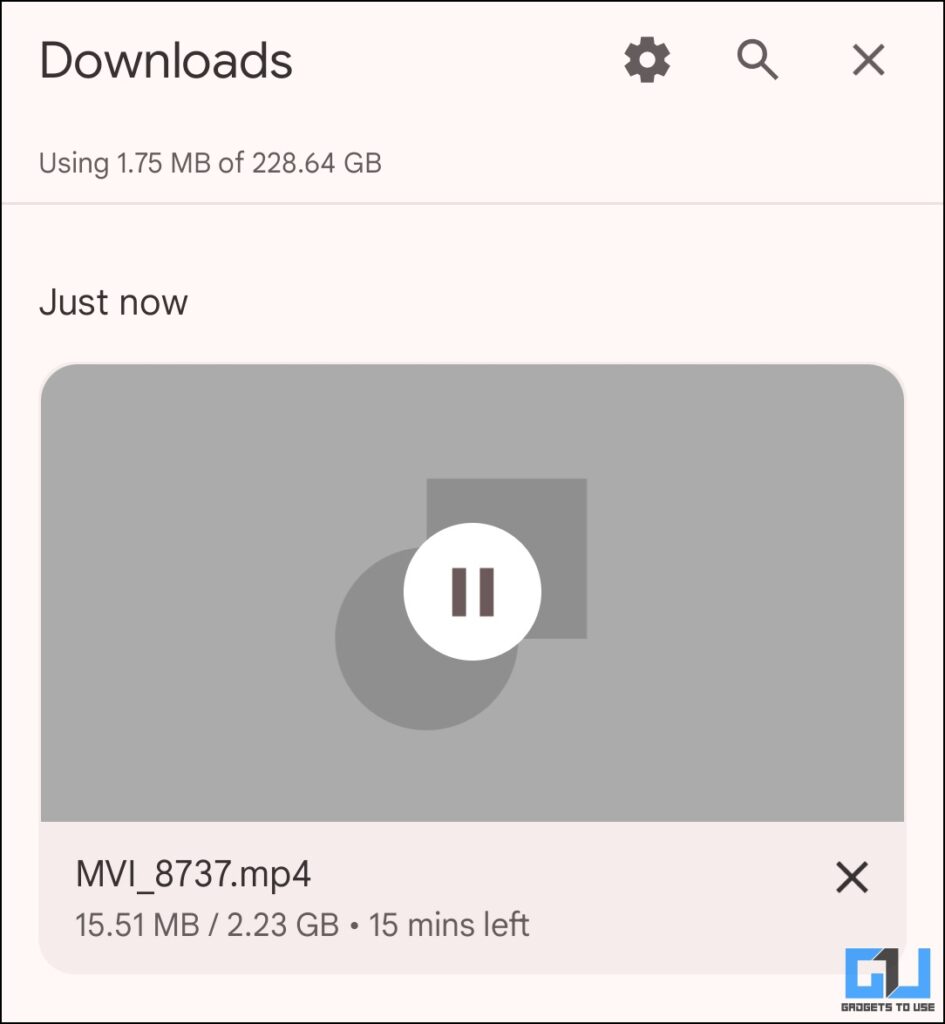
Apparently, when it comes to downloading large files, the browser version handles it better. Also, when downloading a folder, avoid downloading all the files at once, especially on Android. It starts zipping all the files in the folder, which might cause it to get stuck. If possible, download each file separately.
For issues like storage and internet, the fixes are straightforward:
- Free up enough space on your device before downloading a large file.
- Ensure that you have a stable internet connection. Although it is preferable to download such files over Wi-Fi, you might not always have adequate internet speed. In that case, you can switch to mobile data, but make sure you have enough data before it burns out.
FAQs
Q. Why does downloading files over mobile data not work on some devices?
Google Drive might restrict downloading over mobile data by default. Also, your phone setting maybe set to ‘Data Saver’. Therefore, large files may be restricted from being downloaded.
Q. How long should ‘Preparing Download’ take if it’s not stuck?
Normally, it should take around 1-2 minutes before it starts to download. If it still doesn’t start, it’s probably stuck, and you should try again.
Wrapping Up
While Google Drive is great as a cloud storage platform, the Android app should be optimised better for downloads. Since the tool is widely used to share and collaborate on large files, being unable to download them can be frustrating for users. Downloading the file by opening its link in the browser works most of the time. If it still doesn’t work, the file may be corrupted. In that case, you should remove the file from the drive and try uploading it again.
You may also like to read:
Have any questions related to our how-to guides, or anything in the world of technology? Check out our new GadgetsToUse AI Chatbot for free, powered by ChatGPT.
You can also follow us for instant tech news at Google News or for tips and tricks, smartphones & gadgets reviews, join the GadgetsToUse Telegram Group, or subscribe to the GadgetsToUse Youtube Channel for the latest review videos.
⬇️ GadgetsToUse Site Search ⬇️
You can find anything on our website, inlcuding tech how to, solution or reviews using google site search box below.
Was this article helpful?
YesNo
