


- The sky change transition is a popular trend on Reels where you pan the camera towards the sky and shift to a new location within the same clip.
- Yes, you can replace the sky and swap it with a new video or image using the mask option in the InShot app.
- Add the first video on your InShot timeline, and trim it to the part where you pan upwards to the sky.
Gone are the days when you needed professional-level editing skills to create a good-looking video, thanks to the rise of smartphone video editing apps. Whether it’s for Instagram Reels or long-form YouTube content, you can now do it all directly on your phone. But did you know that you also get to use advanced editing features like replacing a sky or any background in a full video? Here’s a step-by-step guide on how you can change the sky in videos using the popular video editing app InShot.
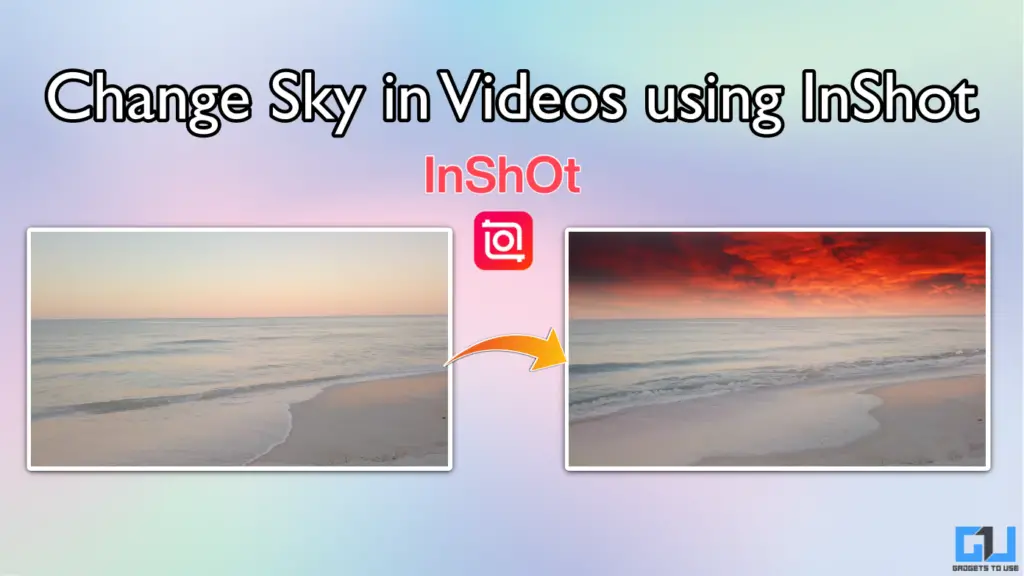
Edit Sky Background in Videos on Phone
The free version of InShot offers a masking feature that you can use to swap the background on any video. You can use it to replace the sky with another video, or even a simple static image. Follow these steps:
1. Load the original video in InShot, and tap on PIP.
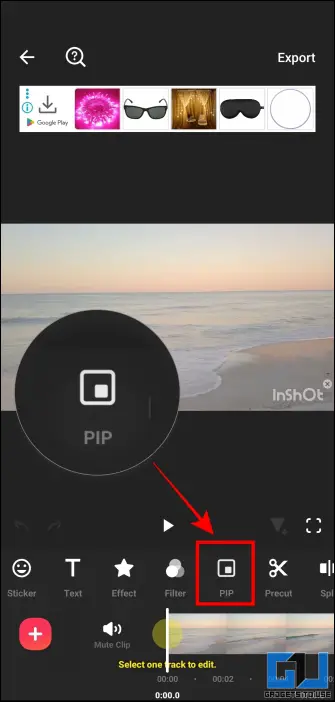
2. Select the new video that you want to use as a replacement sky.
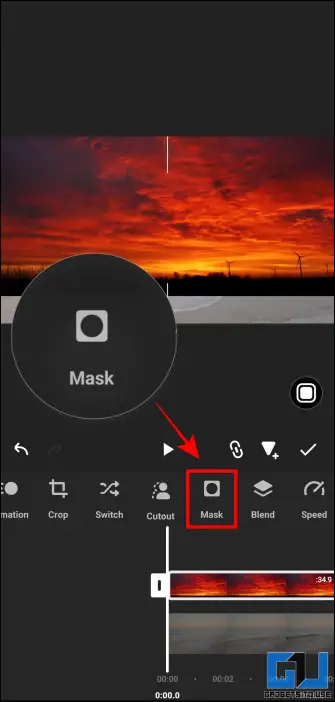
3. Adjust the overlay to match the alignment of the original video as per your needs.
4. Select the Mask option.
5. Use the slider to adjust the masking effect. This helps to add a natural blend between the two videos.
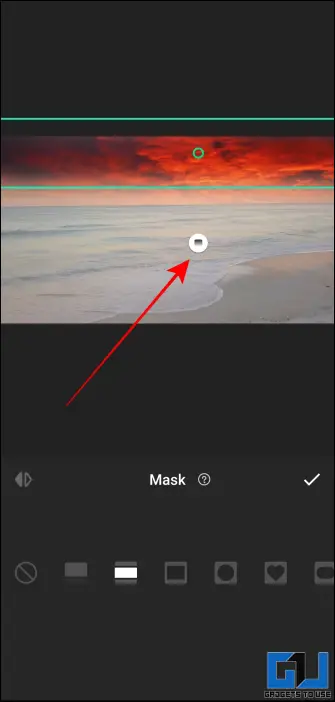
6. Once you are satisfied with the results, tap on the tick option and export the video.
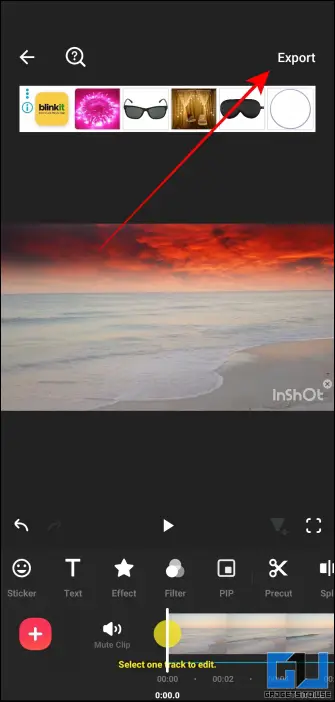
The masking results from InShot are highly accurate, and depending on how well you adjust the overlay, you can achieve highly realistic sky replacement effects in the app, for free.
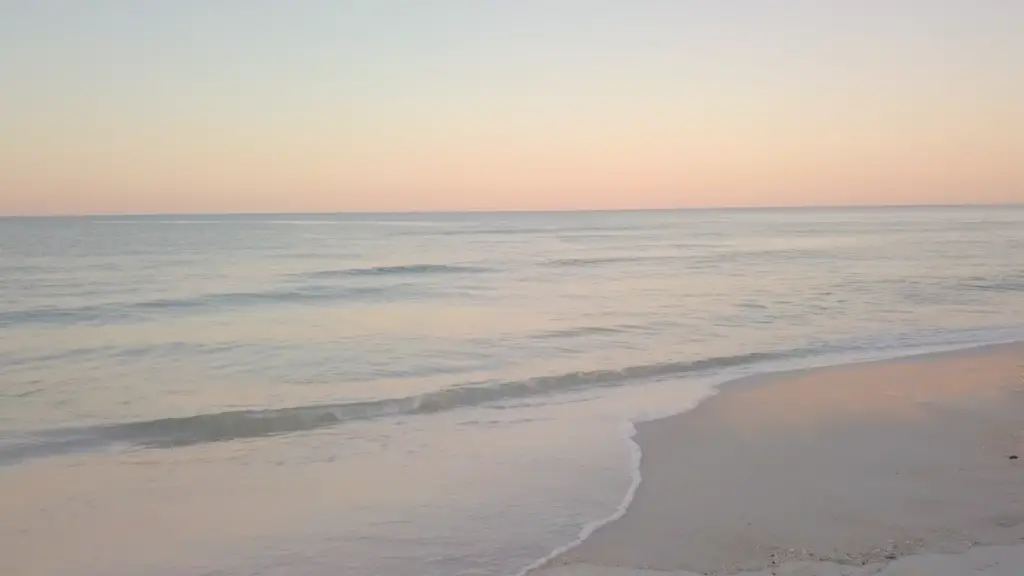
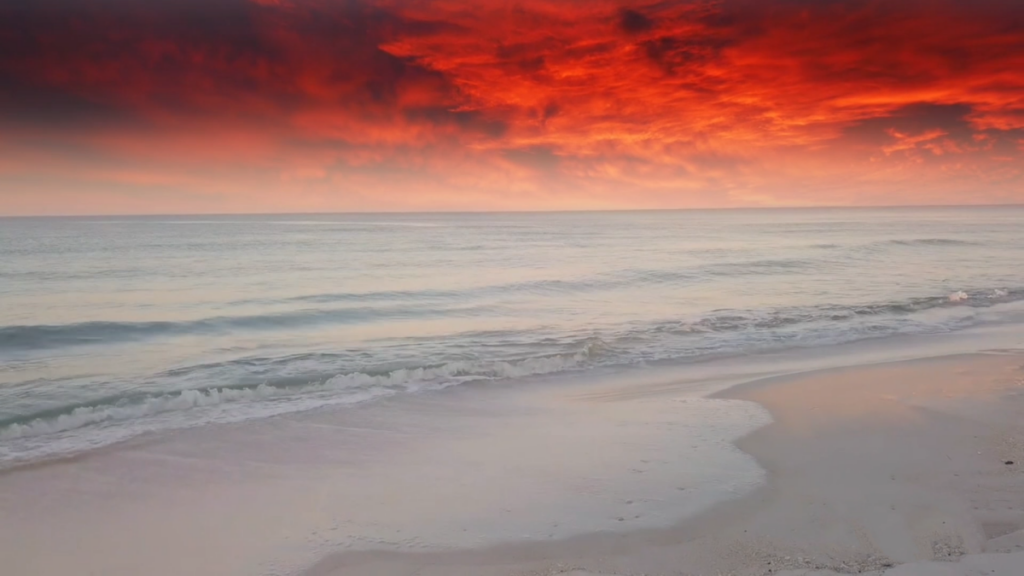
Also Read: How to Add Auto Captions to Video Using InShot
Add Sky Change Transition in InShot
The sky change transition is a popular trend on Reels where you pan the camera towards the sky and shift to a new location within the same clip. Here’s how you can do this edit:
1. Add the first video on your InShot timeline, and trim it to the part where you pan upwards to the sky.
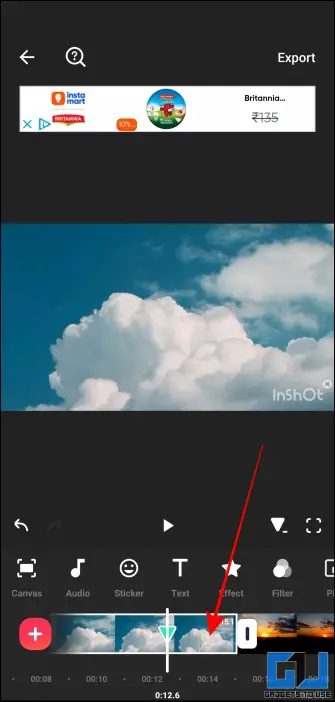
2. Now load the second video, and trim the clip to make it start from the sky.
3. Tap on the transition icon. Add a suitable transition effect from the gallery.
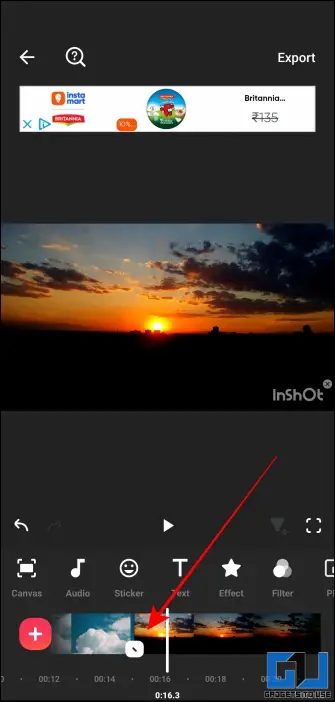
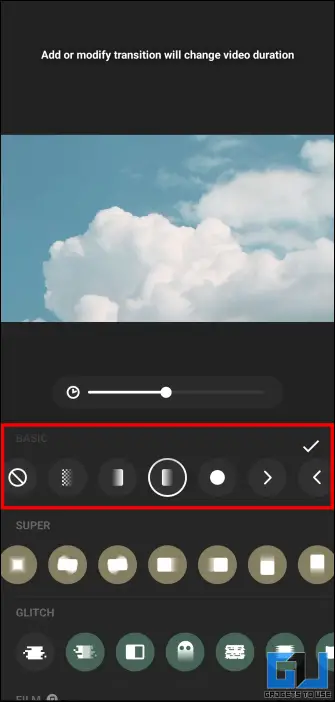
4. Once you have completed the edit, export the video and save it on your device.
Now you can upload an amazing sky transition video on Instagram or any social media to join the trend. This effect adds a professional touch to your clip, something that you see in videos from professional vloggers and content creators.
FAQs
Q. Can I replace the sky in a video in InShot?
Yes, you can replace the sky and swap it with a new video or image using the mask option in the InShot app. It is available in the free version.
Q. How to remove the InShot watermark?
You can remove the InShot watermark for each video by watching an advertisement, every time you export the video. You can also purchase the lifetime premium subscription to get rid of ads and watermark from the app.
Q. What are the best alternatives to InShot app for video editing?
VN Video Editor, CapCut, KineMaster, and PowerDirector are some good alternatives to InShot app, which you can use for editing videos on Android and iOS.
Wrapping Up
The InShot video editor lets you unleash your creativity by offering features like sky and background swap. It is among the best apps for editing videos on a phone. If you are a casual social media user who uploads stuff only for friends, you can elevate your content game by exploring advanced editing features of the app.
You may also like to read:
You can also follow us for instant tech news at Google News or for tips and tricks, smartphones & gadgets reviews, join the GadgetsToUse Telegram Group, or subscribe to the GadgetsToUse Youtube Channel for the latest review videos.
Was this article helpful?
YesNo
