


- Although it’s already impressive how you get a whole song through just some simple steps, you can create a lot more once you get the hang of it.
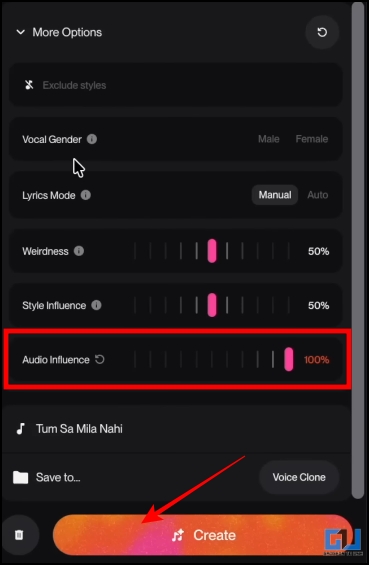
- Now, under more options, set the ‘Audio influence’ bar to 100%, so that it generates a song with a voice sounding as close to your sample as possible.
- For that, you would have to speak the phrase on your screen so that it matches the sample you recorded or uploaded.
It’s fun to make your own songs. Especially when they are in your own voice. Then, whether you are a content creator, a music enthusiast, someone from advertising or just want to have fun. You will be able to create songs with your own voice even when you don’t really sing on the right pitch or tune. Let’s try the tool and see how to make songs in one’s own voice through the steps below.
Create Songs in Your Own Voice With Suno.AI
Suno.AI, which is an AI music generation platform, has just introduced the ‘Create your voice’ feature. It was a long-awaited feature that allows you to clone your voice and generate new songs from it. You can easily generate songs with little or no music expertise. Just follow the two-part process below.
Step 1: Creating Your Voice Sample
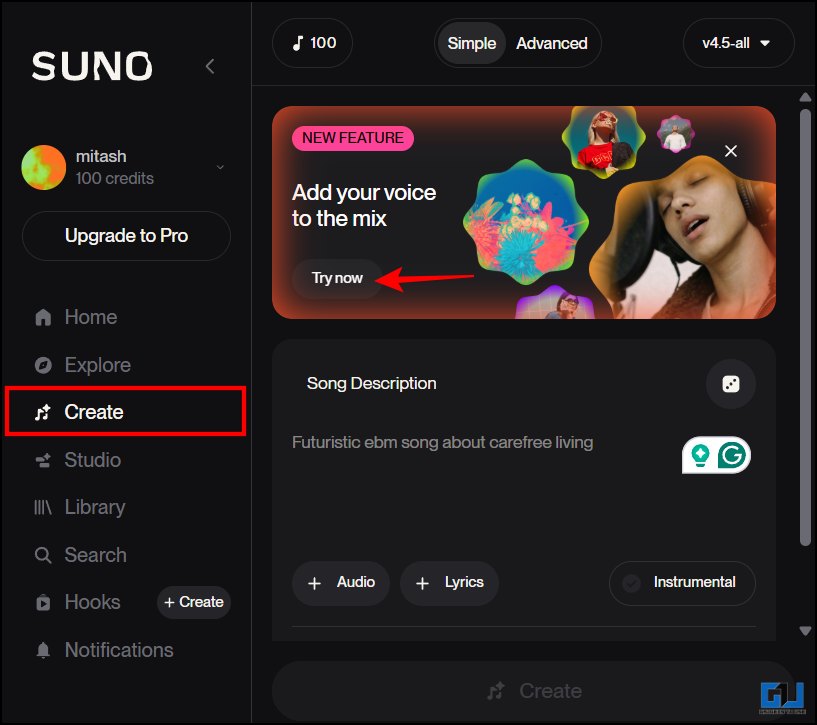
1. Open and log in to the Suno.AI platform and go to the create tab. Here, under ‘Add your voice to the mix’, click ‘Try now’.
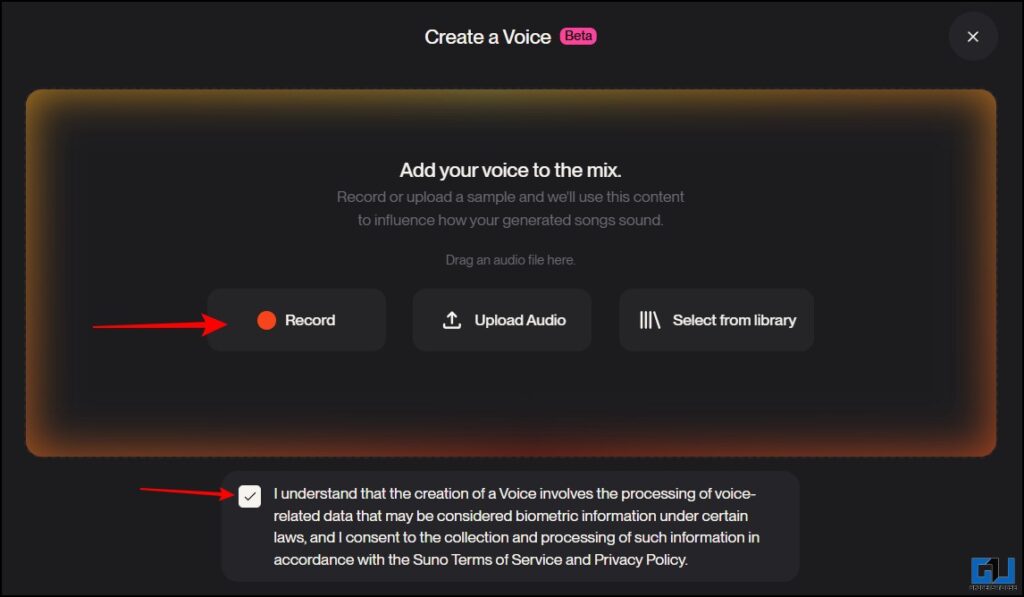
2. Now, make sure you have accepted the terms of service and privacy policy. You will have 3 options to give a sample of your voice. You can record your voice, upload a sample, or select something from your Suno library. Let’s record something fresh.
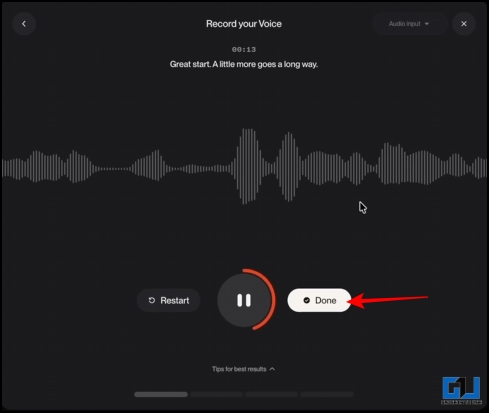
3. Once you have selected the record your voice option, hit the record button. Now, you have to sing and speak in your own voice. Try to sing at the pitch and in the mood you want for your song. Record a sample of at least 10 seconds. Click ‘done’.
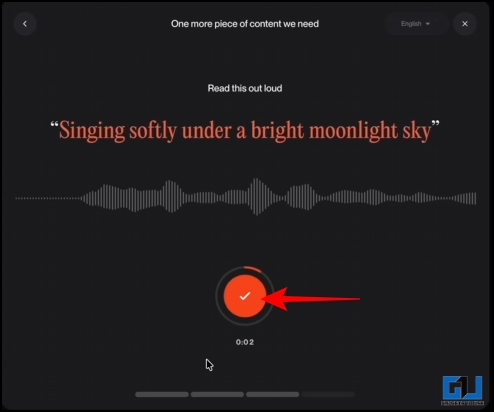
4. Now you can trim your recorded sample according to you and click ‘Use voice’. Now, Suno AI will verify your voice. For that, you would have to speak the phrase on your screen so that it matches the sample you recorded or uploaded. Once your voice is verified, you will be asked about your singing proficiency through 4 options. You can select your level or skip it.
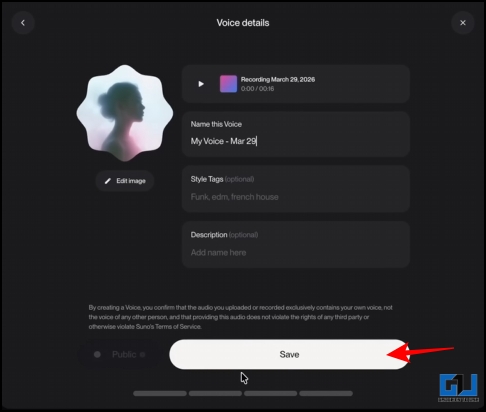
5. Now, you can name your voice sample, add style tags, and a description. Click ‘Save’.
Step 2: Creating Songs Using Your Voice
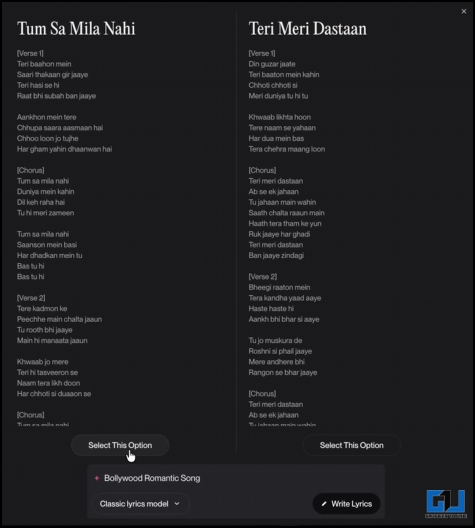
1. Now you can add lyrics or generate a full song too by just describing how you want it to be. You would be given 2 options based on your prompt. Select one or generate it again if you want something else.
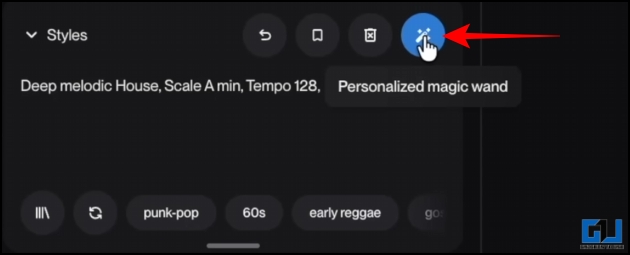
2. Now describe the style of the song you would want. The scale or tempo you would like, and other things like that. Just describe it briefly, click the ‘personalized magic wand’ button, and it will enhance your prompt and make it more detailed.
3. Now, under more options, set the ‘Audio influence’ bar to 100%, so that it generates a song with a voice sounding as close to your sample as possible. Now hit ‘Create’.
4. You will get two variations of songs in your own voice.
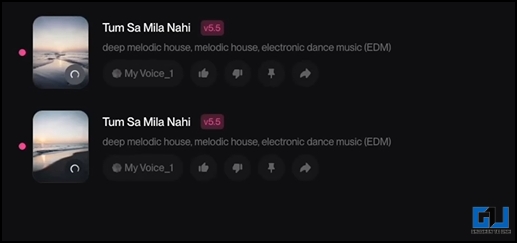
As mentioned above, songs would match the pitch and mood of the voice sample you recorded or uploaded. So, the results will be accordingly. Additionally, if you want to experiment, you can submit another sample to match the mood you want.
FAQs
Q. Is musical experience needed to create songs on Suno.AI
No, you don’t need any prior music experience or knowledge. Beginners and professionals can both make use of the tool.
Q. What genres of music can be created using Suno.AI?
Suno.AI allows you to create songs in various genres such as pop, rap, rock, hip-hop, lo-fi, classical and much more according to your prompt.
Wrapping Up
Although it’s already impressive how you get a whole song through just some simple steps, you can create a lot more once you get the hang of it. Moreover, it could be a great tool for music producers, songwriters, content creators, or someone who is just an enthusiast. Also, make sure that you record the with a decent microphone and a quiet environment. Furthermore, as with most AI tools, ensure you use it ethically. As the platform doesn’t allow impersonation of voice without one’s consent.
You may also like to read:
Have any questions related to our how-to guides, or anything in the world of technology? Check out our new GadgetsToUse AI Chatbot for free, powered by ChatGPT.
You can also follow us for instant tech news at Google News or for tips and tricks, smartphones & gadgets reviews, join the GadgetsToUse Telegram Group, or subscribe to the GadgetsToUse Youtube Channel for the latest review videos.
⬇️ GadgetsToUse Site Search ⬇️
You can find anything on our website, inlcuding tech how to, solution or reviews using google site search box below.
Was this article helpful?
YesNo
