


- However, the API (Application Programming Interface) of some sources doesn’t allow the AI platforms to process the video through the link.
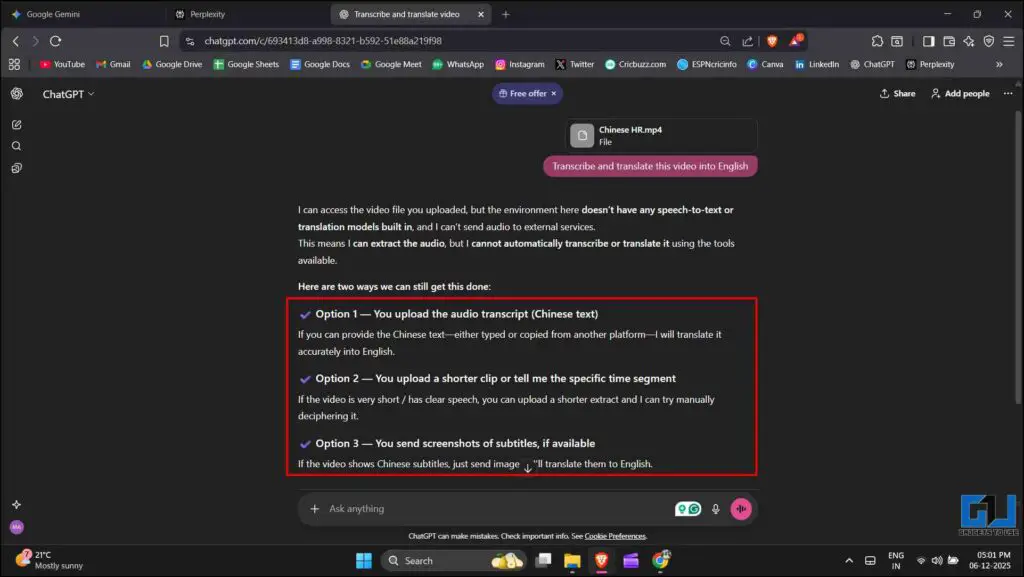
- I also tried ChatGPT, but it just outright refused to transcribe and translate videos, even after following the same procedure as Gemini and Perplexity.
- It might be possible that some of those platforms will not have a way of downloading the content as video files.
In recent times, content creation and consumption have expanded globally. Users are showing interest in consuming content across cultures and languages. Creators are also trying to ensure that their content reaches overseas. AI platforms like Gemini and Perplexity have made this possible to some extent, and they have developed manifold in their capabilities in recent years. In this article, let’s explore how we can use various AI tools to translate video content into our desired language, along with the limitations we might encounter.
It’s possible to translate videos from almost all platforms. We can transcribe and translate YouTube videos through platforms like Gemini and Notebook LM by simply using the video link. However, the API (Application Programming Interface) of some sources doesn’t allow the AI platforms to process the video through the link. Let’s take X, for example. I tried putting a video link from X in Gemini, Perplexity, ChatGPT, and Notebook LM. None of them was able to process the video through the link. This is because the X or Twitter API did not allow them to do so. Despite this, it is possible if we can extract the video or audio file of the content. For this, you can check out 7 Ways to Download Twitter Videos and GIFs on Phone or PC.
Method 1: Using Gemini
Once you have downloaded the video or audio file, you can transcribe and translate it into your desired language. The following are the steps to do it using Gemini.
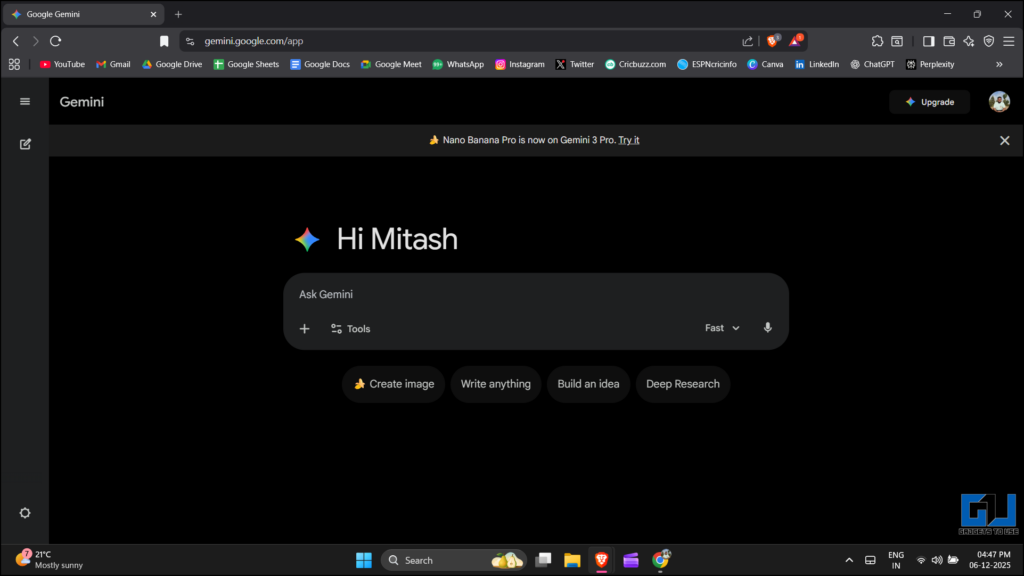
1. Open Gemini, then open a new chat.
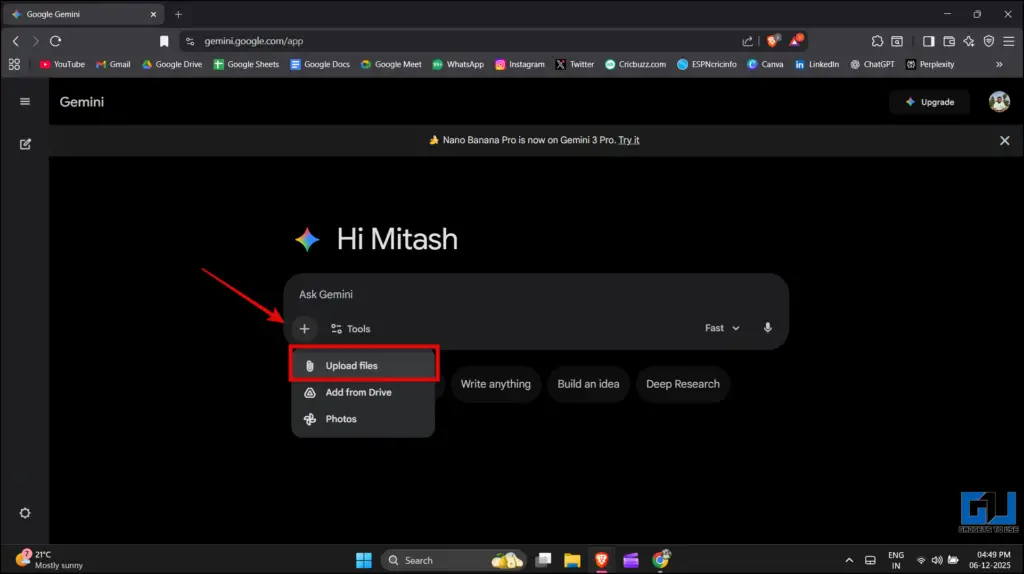
2. Click the ‘Add files’ option (the + icon) and select ‘Upload files’.
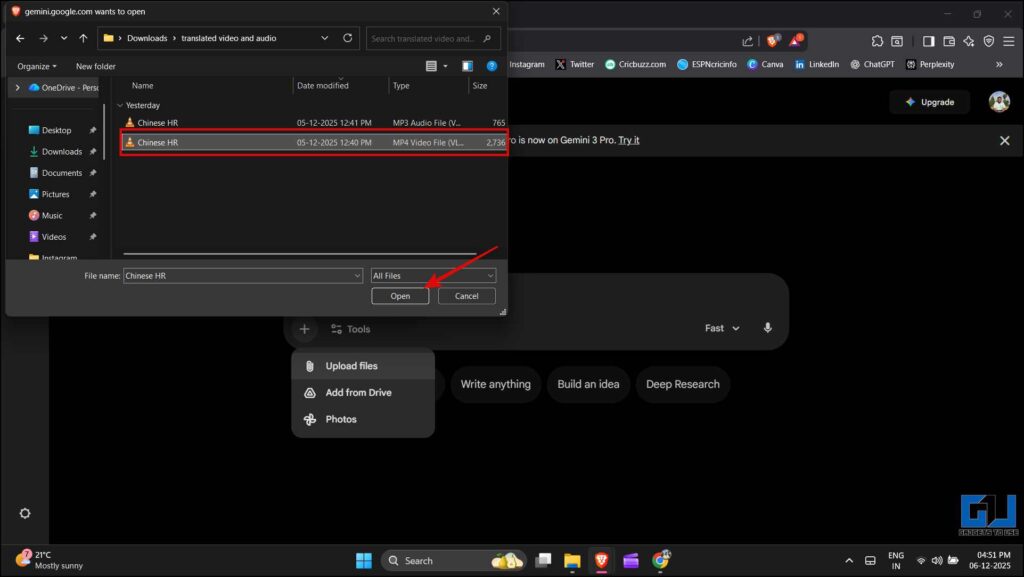
3. Browse through the folder where the downloaded video file is, select it, and click ‘Open’.
4. Once the file is uploaded, type this prompt: Transcribe and translate this video into English (or your desired language). Click submit or hit Enter.
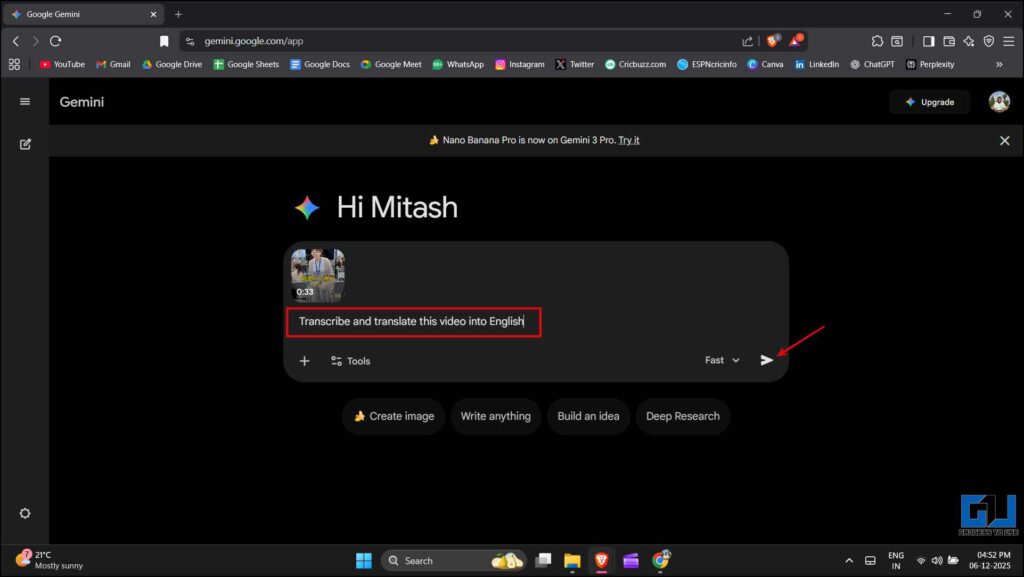
5. Gemini will analyse the content provided by you and give you the translation.
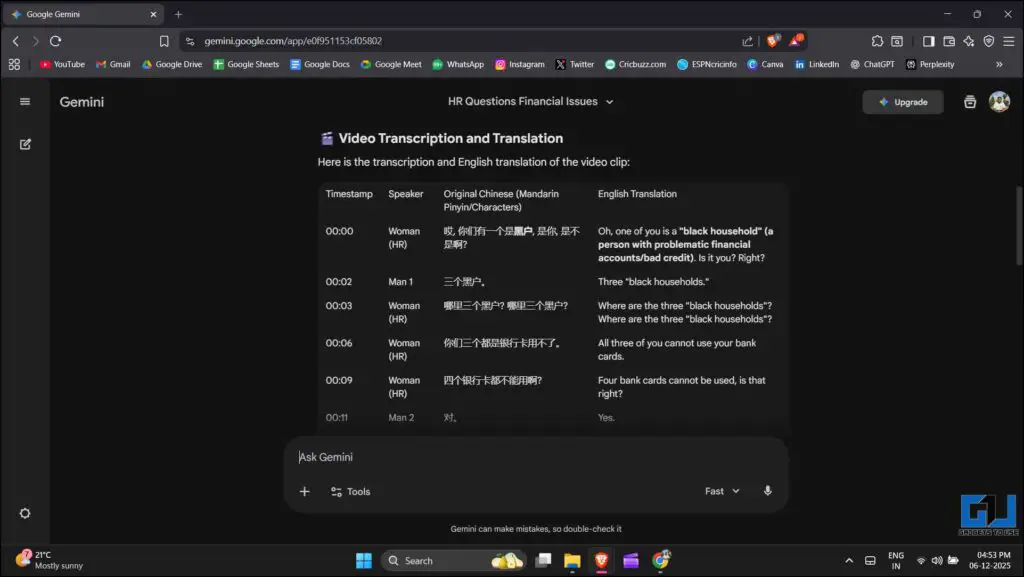
Method 2: Using Perplexity
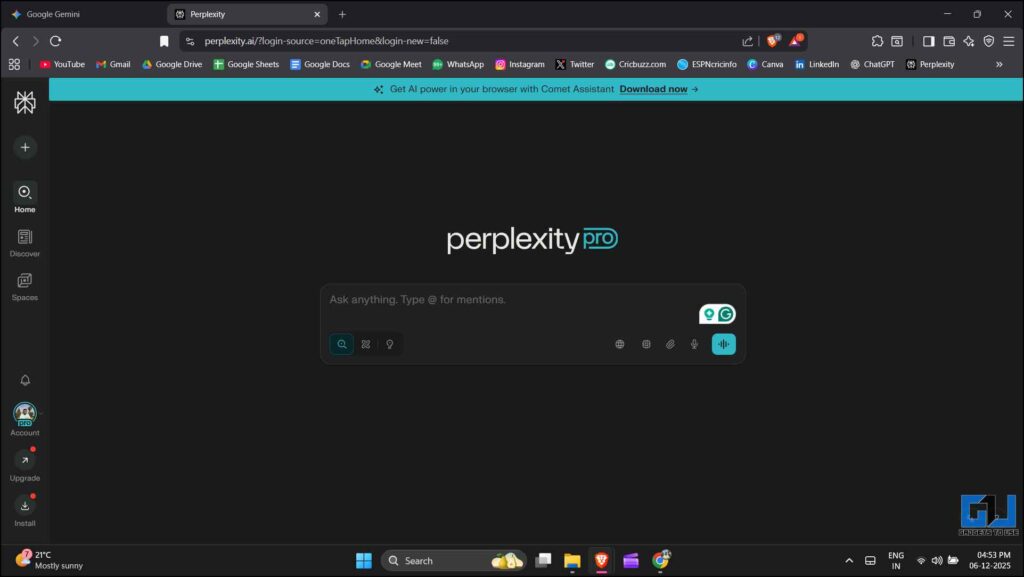
1. Open Perplexity in any browser or device, then start a new chat.
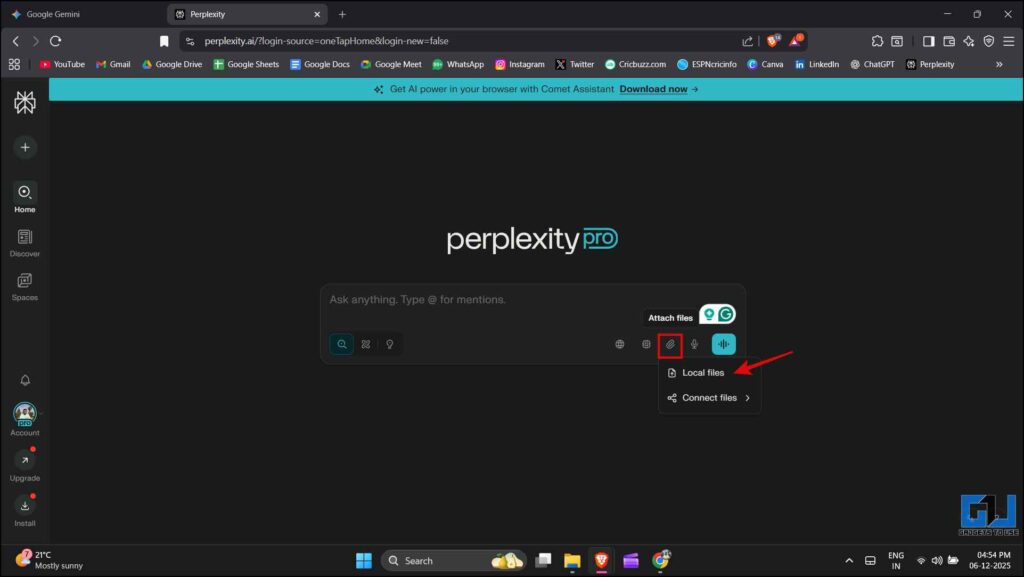
2. Click on the ‘Attach files’ option and select ‘Local files’.
3. Browse through the folder where the downloaded video file is, select it, and click ‘Open’.
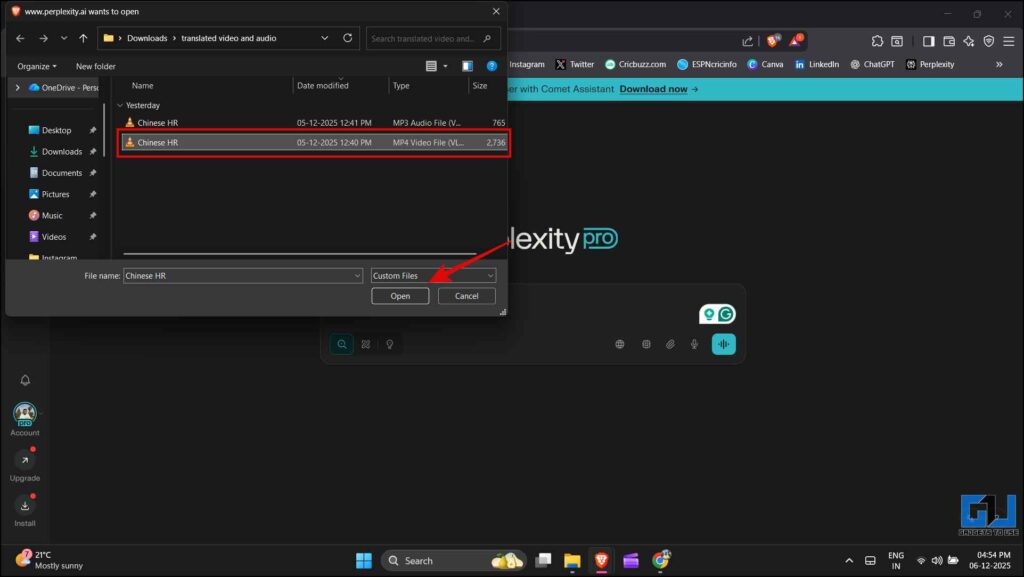
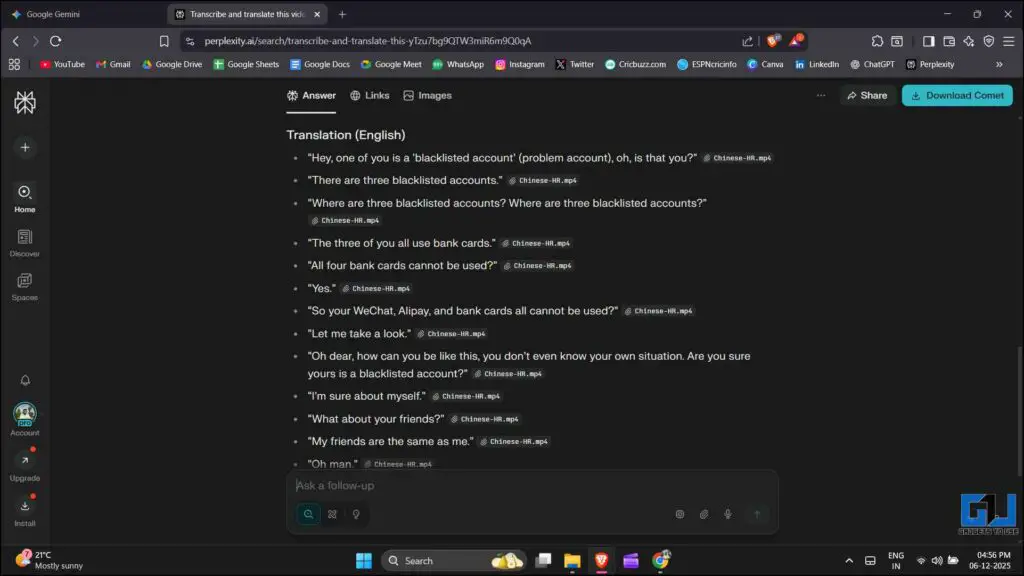
4. Use an appropriate prompt to transcribe and translate the video.

5. Perplexity will analyse the content provided and give you the desired result.
ChatGPT Exists, But Does Not Help
I also tried ChatGPT, but it just outright refused to transcribe and translate videos, even after following the same procedure as Gemini and Perplexity. Instead of translating, ChatGPT was asking me to share a transcript of the video first, which was not as helpful compared to other two tools.
While these tools allow you to translate content as per your desired language, there are some limitations to them. As we discussed above, the API of some platforms doesn’t let these tools directly process the content through the link. It might be possible that some of those platforms will not have a way of downloading the content as video files. In those cases, you should not depend on these platforms. Also, the AI platforms are still developing gradually despite their growing capabilities. Which means that they might not understand specific phrases, idioms, or the cultural context needed to fully translate the content. So you should keep in mind the accuracy of the exact meaning while using these platforms.
FAQs
Q. Are there any privacy concerns if I upload my personal content?
Yes, these platforms store the data you provide to train themselves. You should avoid uploading personal content.
Q. Does Gemini support video translation for free?
The free tier of Gemini does support video translation, but has some tight limits. You can only get good results for the first few seconds, beyond which it requires you to have a paid subscription of Gemini.
Wrapping Up
AI tools like Gemini, Perplexity, ChatGPT, and others can be beneficial to many people, such as content creators, journalists, and viewers interested in watching multilingual content. It will help in connecting the masses across nationalities and can encourage a sense of togetherness. But as mentioned above, these platforms should be used with a pinch of salt, as they might misinterpret or not fully understand the context. Additionally, you should avoid uploading personal or sensitive content on AI platforms as they are not without privacy concerns.
You may also like to read:
Have any questions related to our how-to guides, or anything in the world of technology? Check out our new GadgetsToUse AI Chatbot for free, powered by ChatGPT.
You can also follow us for instant tech news at Google News or for tips and tricks, smartphones & gadgets reviews, join the GadgetsToUse Telegram Group, or subscribe to the GadgetsToUse Youtube Channel for the latest review videos.
Was this article helpful?
YesNo
