


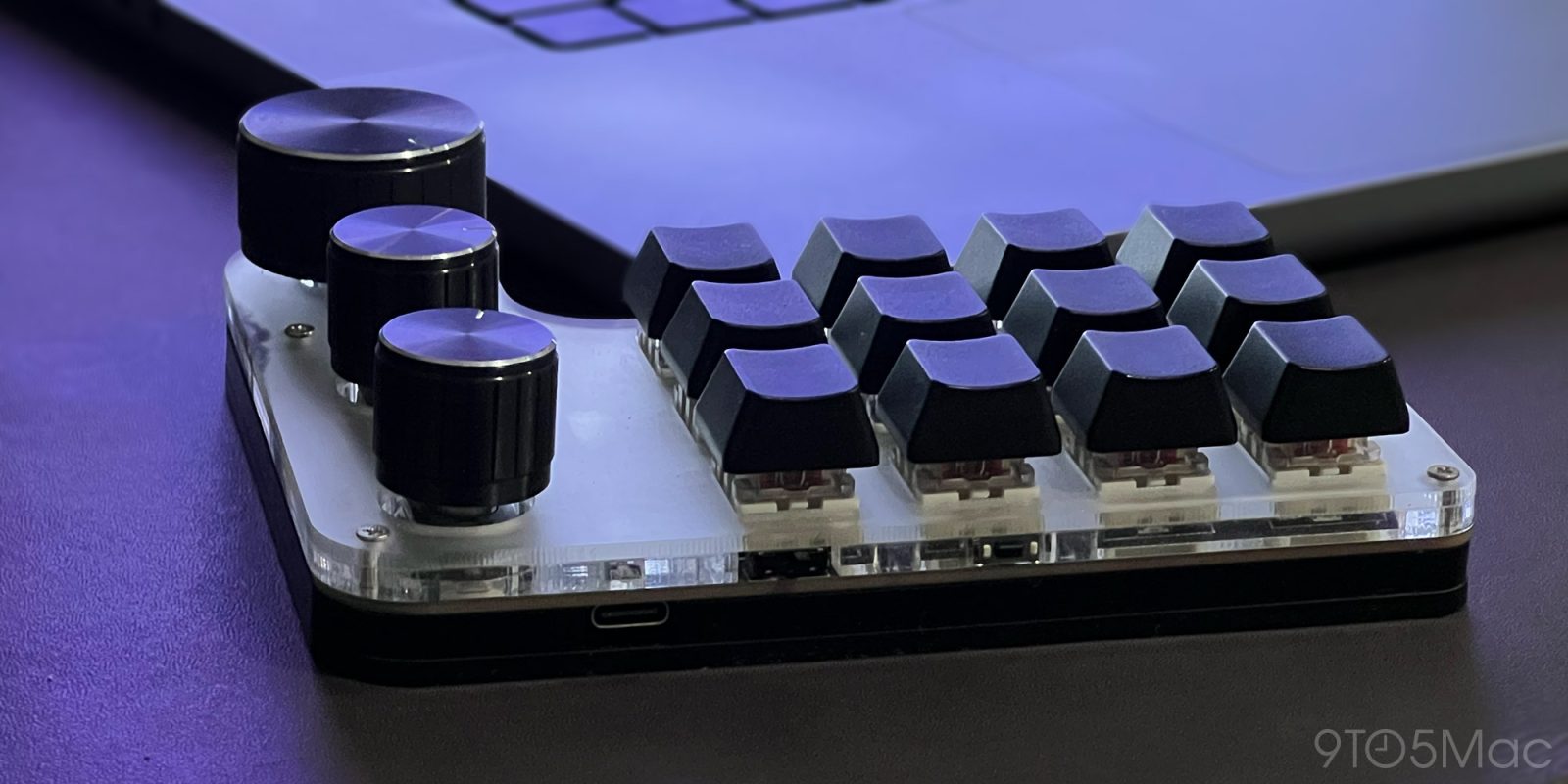
Offloading keyboard shortcuts to a programmable macro keypad is the best productivity hack I’ve ever done.
Down the keyboad shortcut rabbit hole
I first got into keyboard shortcuts with simple macOS triggers, such as @@ for my primary email address, and similar ones for my full name, home address, phone number, zip code, and so on.
Then, I decided to take things up a notch with Keyboard Maestro and started setting keyboard shortcuts to open a few of the folders and programs I used more often.
From the Desktop to Downloads to folders related to work, it became pure muscle memory to press Fn+F1 all the way to Fn+F6, to instantly land where it used to take me a few clicks before. The other function buttons were dedicated to opening frequent programs and websites, as well as accessing Keyboard Maestro’s Clipboard History Switcher.
That evolved into automating some of my workflow, including opening QuickTime and starting a new audio recording, as well as opening Shure PlusMOTIV whenever I plugged in a specific USB-C microphone.
Soon, I was also setting custom shortcuts for tools, settings, and panels on Adobe Audition, some of which I quickly moved to my Logitech MX Master for even faster editing.
Kicking things up a notch
This setup served me well for quite a long time, until one day, 9to5Mac’s own Gui Rambo told me about a small, 12-key and 3-knob macro keypad he had bought. I was sold, and did just the same thing.
When it arrived, I quickly learned that setting it up to work correctly on macOS required some additional work. Thankfully, this GitHub project did all the heavy lifting, and ChatGPT did the rest to help me set it up properly.
One great thing about this setup is that having a custom keyboard to invoke Keyboard Maestro shortcuts means not having to memorize them or keep them ergonomically friendly.
And thanks to the fact that this specific keyboard lets you have up to 3 layers of 12 keypad shortcuts, plus the knobs, which can also act as buttons, means that I can have it behave in one way when I’m using Adobe Audition, and a completely different way when interacting with the system.
When using Adobe Audition, using this macro keypad combined with the MX Master makes switching between tools, exporting files (or just specific segments), applying effects such as normalization, compression, deReverb, deEsser, ripple delete, and much more, orders of magnitude faster and more streamlined than with regular keyboard shortcuts, or, God forbid, no shortcuts at all.
When using the system, I can use the same keyboard on a different layer to change audio input, adjust the volume, adjust the display luminosity, mute/unmute the microphone, and access commonly used folders just as easily.
Granted, it did take me a bit to memorize all of these commands, but that becomes second nature more quickly than you’d think. More than that, it honestly feels like the Mac is broken when I have to work without that.
What’s more, there are countless configurations and options for macro keypads, with different shapes, sizes, keys, knobs, light colors, and much more. This is a rabbit hole that truly feels endless, and if your work involves any sort of repetitive actions (and whose doesn’t?), I sincerely suggest you take a peek inside.
Worth checking out on Amazon


FTC: We use income earning auto affiliate links. More.
